
Cloud Computing Explained: Complete Guide to Basics, Architecture, Types, Benefits, and Future (2026)
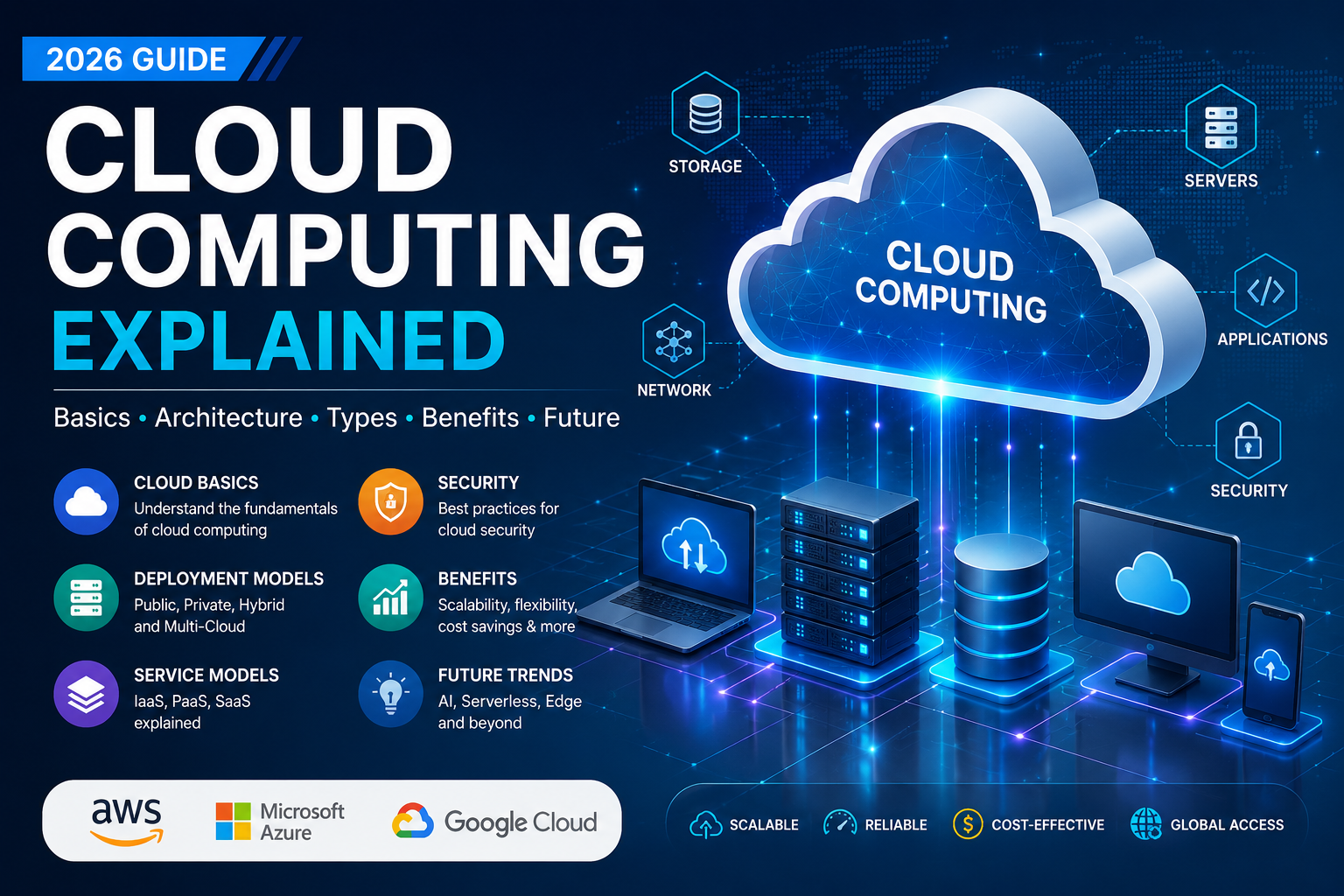
Cloud computing has become one of the most important technologies powering today’s digital world. Whether you use online storage, stream movies, develop software, or deploy enterprise applications, chances are you are already using cloud computing.
Instead of purchasing and maintaining expensive physical servers, organizations can access computing resources—including servers, storage, networking, databases, and software—over the internet whenever they are needed.
For IT professionals, understanding cloud computing fundamentals is essential because modern infrastructure, software development, cybersecurity, artificial intelligence, and DevOps all rely heavily on cloud platforms.
Table of Contents
What is Cloud Computing?
Cloud computing is the on-demand delivery of computing services over the internet. Users rent computing resources instead of owning and maintaining physical infrastructure.
These services include:
- Virtual Servers
- Data Storage
- Databases
- Networking
- Artificial Intelligence
- Machine Learning
- Analytics
- Security Services
- Software Applications
- Development Platforms
Users only pay for the resources they consume, making cloud computing highly scalable and cost-effective.
Why Cloud Computing Matters
Traditional IT infrastructure requires organizations to purchase hardware, build data centers, hire maintenance staff, and continuously upgrade equipment.
Cloud computing eliminates much of this complexity by allowing businesses to provision resources within minutes.
Major advantages include:
- Reduced infrastructure costs
- Faster application deployment
- High availability
- Automatic updates
- Global accessibility
- Disaster recovery
- Elastic scalability
- Improved collaboration
Evolution of Cloud Computing
| Year | Milestone |
|---|---|
| 1960s | Time-sharing concepts introduced |
| 1990s | Virtualization became widely adopted |
| 2002 | Web-based cloud services gained momentum |
| 2006 | Amazon introduced Elastic Compute Cloud (EC2) |
| 2008 | Public cloud adoption accelerated |
| 2010–2015 | Enterprise cloud migration increased |
| 2016–2022 | Hybrid and multi-cloud became mainstream |
| 2023–2026 | AI-native cloud platforms and serverless computing expanded rapidly |
How Cloud Computing Works
Cloud computing combines multiple technologies:
- Data Centers
- Virtualization
- Networking
- Distributed Storage
- Hypervisors
- APIs
- Automation
- Resource Monitoring
Basic Workflow
User Device
↓
Internet
↓
Cloud Provider
↓
Virtual Servers
↓
Applications
↓
Storage & Database
The cloud provider manages the physical infrastructure while users consume services through web portals, APIs, or command-line tools.
Core Components of Cloud Computing
Compute
Virtual machines, containers, GPUs, and serverless functions execute workloads.
Storage
Object, block, and file storage provide scalable and durable data storage.
Networking
Virtual networks, load balancers, VPNs, and content delivery networks connect applications securely.
Database Services
Managed SQL, NoSQL, graph, and time-series databases simplify operations.
Security
Identity management, encryption, firewalls, monitoring, and compliance tools protect cloud environments.
Cloud Deployment Models
Public Cloud
Infrastructure is owned and operated by a cloud provider and shared securely among customers.
Suitable for:
- Startups
- Web applications
- Testing environments
- Small businesses
Private Cloud
Infrastructure is dedicated to a single organization.
Suitable for:
- Government
- Banking
- Healthcare
- Highly regulated industries
Hybrid Cloud
Combines private and public cloud infrastructure.
Benefits:
- Flexibility
- Better security
- Lower operational costs
- Easier migration
Multi-Cloud
Organizations use services from multiple cloud providers to reduce vendor lock-in and improve resilience.
Cloud Service Models
Infrastructure as a Service (IaaS)
Provides virtual machines, networking, and storage.
Examples:
- Virtual servers
- Load balancers
- Virtual networks
Best for:
- System administrators
- Infrastructure teams
Platform as a Service (PaaS)
Provides application development platforms without managing servers.
Best for:
- Developers
- DevOps engineers
Software as a Service (SaaS)
Applications are delivered through a web browser.
Examples:
- Email platforms
- Collaboration tools
- Customer relationship management software
Best for:
- Businesses
- End users
Key Characteristics
- On-demand self-service
- Broad network access
- Resource pooling
- Rapid elasticity
- Measured service
- High availability
- Automation
Benefits of Cloud Computing
Lower Costs
No large upfront investment in hardware.
Scalability
Resources can scale automatically according to demand.
Reliability
Redundant infrastructure reduces downtime.
Faster Innovation
Development teams can launch applications quickly.
Security
Cloud providers offer advanced security capabilities, though customers must configure them correctly.
Global Reach
Applications can be deployed closer to users around the world.
Common Use Cases
- Web hosting
- Mobile backends
- Enterprise resource planning
- Data analytics
- Artificial intelligence
- Machine learning
- Internet of Things (IoT)
- Video streaming
- Disaster recovery
- Backup and archival
- High-performance computing
Security Best Practices
- Enable multi-factor authentication
- Encrypt data in transit and at rest
- Follow the principle of least privilege
- Monitor logs continuously
- Patch systems regularly
- Segment networks
- Use strong identity and access management
- Perform regular backups
Challenges
- Vendor lock-in
- Compliance requirements
- Data privacy
- Cost management
- Network latency
- Misconfigured security settings
- Skills shortage
- Legacy application migration
Popular Cloud Providers
- Amazon Web Services (AWS)
- Microsoft Azure
- Google Cloud
- IBM Cloud
- Oracle Cloud Infrastructure
- Alibaba Cloud
Cloud Computing and Emerging Technologies
Cloud computing is the foundation for many modern technologies, including:
- Artificial Intelligence
- Machine Learning
- Edge Computing
- Internet of Things
- Big Data Analytics
- Serverless Computing
- Containerization
- Kubernetes
- DevOps
- Generative AI
Career Opportunities
Professionals with cloud skills are in high demand.
Common roles include:
- Cloud Engineer
- Cloud Architect
- DevOps Engineer
- Site Reliability Engineer (SRE)
- Cloud Security Engineer
- Solutions Architect
- Cloud Consultant
- Platform Engineer
- Infrastructure Engineer
Future of Cloud Computing
Over the next several years, organizations are expected to continue adopting AI-assisted operations, confidential computing, industry-specific cloud services, and stronger automation. Hybrid and multi-cloud strategies are also likely to remain important as businesses balance flexibility, compliance, and resilience.
Frequently Asked Questions (FAQ)
What is cloud computing in simple words?
Cloud computing is the delivery of computing services—such as servers, storage, databases, networking, and software—over the internet on demand, allowing users to access resources without owning physical infrastructure.
What are the three main cloud service models?
The three primary service models are:
- Infrastructure as a Service (IaaS)
- Platform as a Service (PaaS)
- Software as a Service (SaaS)
What are the main deployment models?
The main deployment models are:
- Public Cloud
- Private Cloud
- Hybrid Cloud
- Multi-Cloud
Is cloud computing secure?
Cloud computing can be highly secure when organizations implement strong identity management, encryption, monitoring, and configuration best practices. Security is a shared responsibility between the cloud provider and the customer.
Which cloud platform should beginners learn first?
The best choice depends on career goals, but learning cloud fundamentals first makes it easier to work with major platforms such as AWS, Microsoft Azure, or Google Cloud.
Conclusion
Cloud computing has transformed how organizations build, deploy, and manage technology. Its flexibility, scalability, and pay-as-you-go model enable businesses to innovate more quickly while reducing infrastructure overhead. For IT professionals, mastering cloud computing basics provides a strong foundation for careers in infrastructure, software development, cybersecurity, DevOps, data engineering, and artificial intelligence. As cloud technologies continue to evolve, a solid understanding of these fundamentals will remain a valuable and future-ready skill.
Recommended External References
- NIST Cloud Computing Program – Official cloud computing definitions, standards, and guidance.
- NIST Cloud Computing Reference Architecture – Industry-standard cloud reference architecture.
- NIST Cloud Computing Publications – Security, cloud-native systems, Zero Trust, and best practices.
- Amazon Web Services (AWS) Documentation – Official AWS documentation and developer guides.
- Microsoft Azure Documentation – Official Microsoft Azure learning resources.
- Google Cloud Documentation – Official Google Cloud product documentation.
- Kubernetes Documentation – Official Kubernetes documentation for container orchestration.
- Docker Documentation – Official Docker guides for containers and cloud-native development.
- Cloud Native Computing Foundation (CNCF) – Open-source cloud-native projects, including Kubernetes, Prometheus, and Envoy.
- Linux Foundation Training – Cloud, Kubernetes, DevOps, and Linux training resources.

vkgandhig
Technology, AI and Cyber Security Updates.
Related Articles
Leave a Reply