
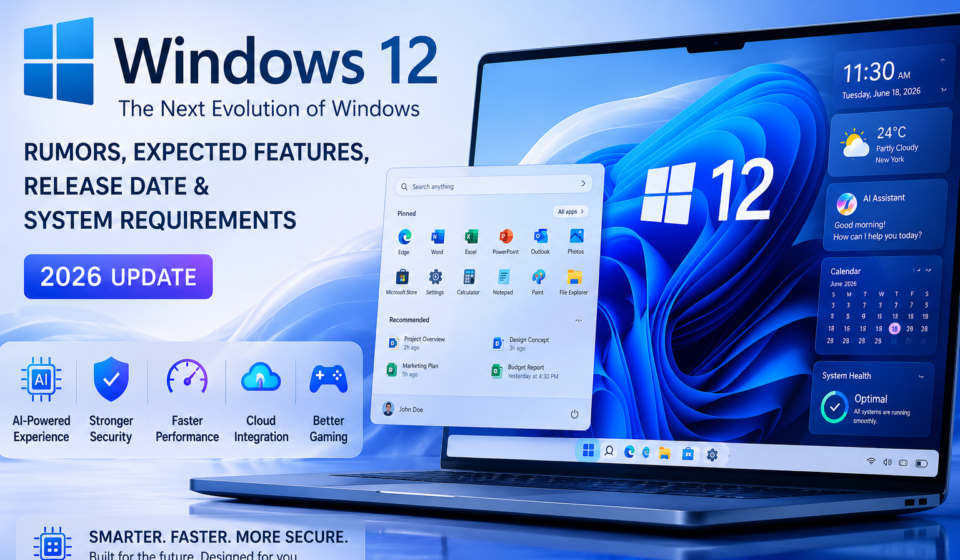
Windows 12: Ultimate Guide to Rumors, Expected Features, Release Date & System Requirements (2026 Update)

Windows has been the world’s most widely used desktop operating system for decades. After the success of Windows 11 and Microsoft’s increasing investment in Artificial Intelligence (AI), many users are eagerly waiting for Windows 12. Although Microsoft has not officially announced Windows 12, numerous reports, patents, insider discussions, and industry predictions suggest what the next generation of Windows might look like.
In this article, we’ll explore the latest Windows 12 rumors, expected release date, possible AI features, system requirements, security improvements, and everything Windows users should know in 2026.
Important: As of July 2026, Microsoft has not officially announced Windows 12. Any information marked as “expected” or “rumored” is based on industry reports and should not be considered confirmed.
Table of Contents
What is Windows 12?
Windows 12 is the unofficial name widely used by the technology community for Microsoft’s next-generation desktop operating system. While Microsoft continues to release major Windows 11 updates, speculation suggests the company may eventually introduce a new Windows version focused on AI-powered productivity, enhanced security, and cloud integration.
Currently, Microsoft’s primary focus remains on Windows 11, particularly AI-powered experiences such as Microsoft Copilot and new hardware optimized for on-device AI.
Expected Windows 12 Release Date
There is currently no official release date.
Industry observers believe Microsoft may introduce a next-generation Windows platform after completing major Windows 11 AI enhancements. However, until Microsoft makes an official announcement, any release timeline remains speculative.
Expected Windows 12 Features
1. Advanced AI Integration
Artificial Intelligence is expected to become the center of the Windows experience.
Possible AI features include:
- Intelligent desktop assistant
- AI-powered file search
- Automatic document summarization
- Voice-controlled system management
- Real-time translation
- AI-generated settings recommendations
- Smart automation
2. Smarter Microsoft Copilot
Future Windows versions may deeply integrate Microsoft Copilot across the operating system.
Expected capabilities:
- Writing assistance
- Coding support
- Email generation
- Image generation
- File organization
- Troubleshooting Windows problems
- System optimization
3. Modern User Interface
Expected improvements include:
- Floating taskbar
- Redesigned Start Menu
- Dynamic wallpapers
- Glass effects
- Better dark mode
- Adaptive layouts
- Improved notification center
4. Better File Explorer
Users may see:
- Tab improvements
- AI-powered file search
- Faster indexing
- Cloud integration
- Better ZIP support
- Improved previews
5. Improved Performance
Possible improvements:
- Faster startup
- Better RAM management
- Lower CPU usage
- Reduced background processes
- Faster updates
- Improved SSD optimization
6. Stronger Security
Microsoft continues to emphasize security.
Expected enhancements include:
- Improved Windows Defender
- Better ransomware protection
- Hardware-backed security
- Stronger TPM integration
- Passwordless authentication
- Enhanced phishing protection
7. Better Gaming Experience
Gamers could benefit from:
- Improved DirectX support
- Faster loading
- Better Game Mode
- Enhanced Auto HDR
- Optimized GPU scheduling
- Improved Xbox integration
8. Cloud Integration
Expected cloud improvements:
- Better OneDrive sync
- Instant cloud backup
- Cross-device synchronization
- AI-powered cloud search
- Cloud-based recovery
Expected Windows 12 System Requirements
Since Microsoft has not published official specifications, the following are estimated based on current Windows 11 hardware trends.
| Component | Expected Requirement |
|---|---|
| Processor | 64-bit CPU, 2 GHz+, 2 or more cores |
| RAM | 8 GB minimum (16 GB recommended) |
| Storage | 128 GB SSD or higher |
| TPM | TPM 2.0 |
| Graphics | DirectX 12 compatible |
| Display | 720p or higher |
| Internet | Required for setup and updates |
Windows 12 vs Windows 11
| Feature | Windows 11 | Expected Windows 12 |
|---|---|---|
| AI Features | Good | Much More Advanced |
| Copilot | Available | Deeply Integrated |
| Performance | Excellent | Expected Faster |
| Security | Strong | Enhanced |
| Gaming | Excellent | Improved |
| UI | Modern | More Dynamic |
| Cloud | Good | Better Integration |
Who Should Upgrade?
Windows 12, if released, may be ideal for:
- Students
- Software developers
- Office professionals
- Content creators
- Gamers
- Businesses
- AI enthusiasts
Should You Wait for Windows 12?
If your current PC runs Windows 11 smoothly, there is no need to postpone upgrades solely for Windows 12. Microsoft continues to deliver significant Windows 11 feature updates, especially around AI, security, and productivity.
If Microsoft officially announces Windows 12 in the future, users can then evaluate the new features and hardware requirements before upgrading.
Frequently Asked Questions (FAQ)
Is Windows 12 officially available?
No. Microsoft has not officially released Windows 12.
Is Windows 12 free?
There is no official information about pricing. If released, Microsoft may offer upgrade options similar to previous Windows versions, but this has not been confirmed.
Can I download Windows 12 today?
No. There is no official Windows 12 download available.
Will Windows 12 require TPM 2.0?
If Windows 12 is released, it is widely expected that modern hardware security requirements such as TPM 2.0 will continue to be important, but Microsoft has not confirmed the final requirements.
Will Windows 12 include AI features?
Microsoft is investing heavily in AI across Windows, so future Windows releases are expected to expand AI capabilities, although no official Windows 12 feature list has been announced.
Conclusion
Windows 12 remains one of the most discussed topics in the technology community, but it is important to separate speculation from confirmed information. While rumors suggest a stronger focus on AI, security, cloud integration, and performance, Microsoft has not officially announced Windows 12 or its release date.
For now, Windows 11 continues to receive major updates and remains Microsoft’s primary desktop operating system. As soon as Microsoft provides official details about any future Windows release, users should rely on those announcements rather than unofficial reports.
📚 References & Useful Resources
The following trusted resources provide official information, technical documentation, and the latest Windows updates. These links can help readers explore Windows features, security, AI capabilities, and future developments in more detail.
Microsoft Windows All Version Download ISO
Official Microsoft Resources
- Microsoft Windows Official Website
Explore the latest Windows features, editions, devices, and official announcements. - Microsoft Support – Windows Help Center
Find troubleshooting guides, update instructions, and technical support for Windows users. - Windows Insider Program
Join Microsoft’s testing program to preview upcoming Windows features before public release. - Microsoft Learn – Windows Documentation
Official documentation for Windows administration, deployment, development, and management. - Windows Release Health Dashboard
Stay informed about the latest Windows updates, known issues, and release status. - Microsoft Copilot
Learn about Microsoft’s AI-powered Copilot features available across Windows and Microsoft services. - Microsoft Security Blog
Read the latest security news, threat intelligence, and best practices from Microsoft.
📰 Trusted Technology News & Analysis
For expert opinions, industry analysis, and Windows-related news, these technology websites are widely respected by IT professionals.
- Windows Central — Windows news, reviews, tutorials, and expert analysis.
- The Verge – Microsoft News — Coverage of Microsoft products, Windows, and AI developments.
- Tom’s Hardware — Hardware reviews, benchmarks, and Windows performance guides.
- PCWorld — Windows tutorials, software recommendations, and technology news.
- ZDNET – Microsoft — Enterprise technology news, Windows updates, and AI coverage.
🔗 Related Articles You May Like
To continue learning, explore these related topics:
- What Is Microsoft Copilot?
- Windows 11 Complete Guide
- Best Windows Productivity Tips
- Windows Security Best Practices
- Windows vs Linux: Which Operating System Is Better?
- How to Speed Up Windows PC Performance
- Windows Keyboard Shortcuts Every User Should Know
- Complete Guide to Windows Update
💡 Editor’s Note
Disclaimer: At the time of writing, Microsoft has not officially announced Windows 12. This article combines publicly available information, official Microsoft updates, and clearly identified industry speculation. Any expected features or release timelines should not be considered official until confirmed by Microsoft.