Best Free AI Tools in 2026 – 25 Powerful AI Tools for Productivity, Writing & Coding

Artificial Intelligence (AI) has become an essential part of daily life. Whether you’re a student, blogger, developer, freelancer, or business owner, AI tools can help you write faster, design better, create videos, generate code, analyze data, and automate repetitive tasks.
The best part? Many powerful AI tools offer generous free plans that are perfect for beginners.
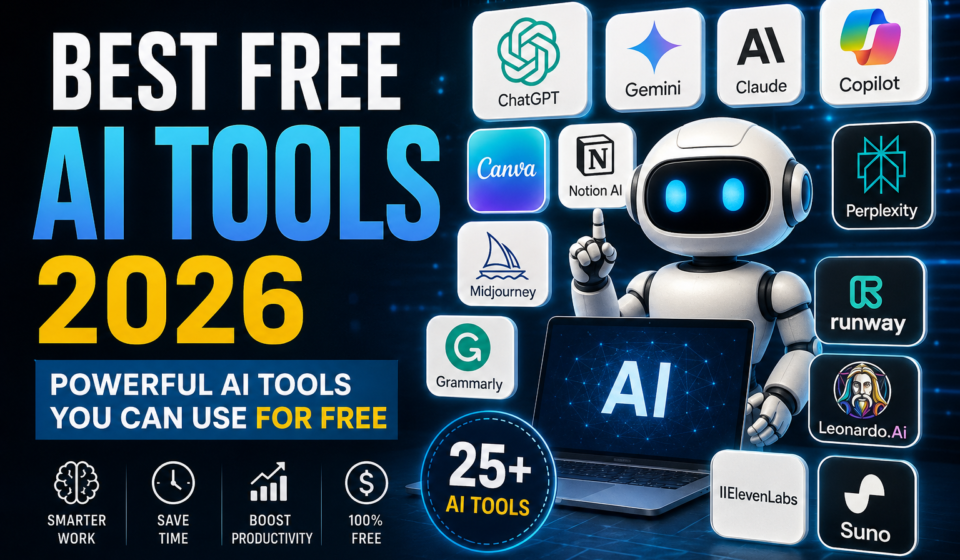
In this guide, you’ll discover the 25 best free AI tools in 2026, along with their features, benefits, and ideal use cases.
Why Use Free AI Tools?
Using AI tools can help you:
- Save time
- Improve productivity
- Write better content
- Generate images
- Create videos
- Write programming code
- Analyze data
- Learn faster
- Automate repetitive work
- Improve business efficiency
1. ChatGPT
Best For: Writing, brainstorming, coding, learning
Features
- Article writing
- Programming help
- Email drafting
- Code explanation
- Language translation
- Math solving
Free Version
✔ Available
Pros
- Easy to use
- High-quality responses
- Excellent for beginners
Cons
- Some advanced features require a paid plan
2. Google Gemini
Best For
Research and productivity
Features
- Web-assisted responses
- Coding help
- Document summarization
- Image understanding
3. Claude AI
Best For
Long documents and professional writing
Features
- Long context support
- Document analysis
- Writing assistance
- Coding
4. Microsoft Copilot
Best For
Windows users and Microsoft Office
Features
- Word assistance
- Excel help
- PowerPoint generation
- Coding
- Web search
5. Perplexity AI
Best For
Research with cited sources
Features
- Real-time information
- Source citations
- Fast answers
- Research summaries
6. Canva AI
Best For
Graphic design
Features
- AI presentations
- Posters
- Logos
- Social media posts
- Image editing
7. Adobe Firefly
Best For
AI image generation
Features
- Text-to-image
- Generative Fill
- Background replacement
- Text effects
8. Leonardo AI
Best For
Game art and digital illustrations
9. Ideogram
Best For
Images with readable text
10. Microsoft Designer
Best For
Social media graphics
11. Grammarly
Best For
Grammar correction
Features
- Grammar checking
- Tone suggestions
- Spelling correction
- Writing improvement
12. Notion AI
Best For
Notes and productivity
13. Gamma AI
Best For
Presentation creation
14. ElevenLabs
Best For
AI voice generation
15. Suno AI
Best For
Music generation
16. Runway
Best For
AI video editing
17. CapCut AI
Best For
Video creators
18. GitHub Copilot (Free Tier)
Best For
Programming
19. Cursor AI
Best For
AI coding assistant
20. Replit AI
Best For
Online coding
21. Hugging Face
Best For
Machine learning
22. NotebookLM
Best For
Research and note-taking
23. DeepSeek
Best For
Coding and reasoning
24. Grok
Best For
Real-time conversations and web insights
25. Figma AI
Best For
UI/UX design
Comparison Table
| Tool | Category | Free Plan | Best For |
|---|---|---|---|
| ChatGPT | AI Assistant | ✅ | Writing |
| Gemini | Research | ✅ | Students |
| Claude | Writing | ✅ | Documents |
| Canva | Design | ✅ | Graphics |
| Cursor | Coding | ✅ | Developers |
| Perplexity | Research | ✅ | Search |
| Firefly | Images | ✅ | Designers |
| Runway | Video | ✅ | Video Editing |
| Grammarly | Writing | ✅ | Grammar |
| Notion AI | Productivity | ✅ | Notes |
How to Choose the Right AI Tool
Choose an AI tool based on your needs:
- Writing: ChatGPT, Claude AI, Grammarly
- Coding: Cursor AI, GitHub Copilot, Replit AI
- Image Generation: Adobe Firefly, Leonardo AI, Ideogram
- Video Editing: Runway, CapCut AI
- Presentations: Gamma AI
- Research: Perplexity AI, NotebookLM, Gemini
- Productivity: Notion AI, Microsoft Copilot
Frequently Asked Questions (FAQ)
Which is the best free AI tool?
There isn’t a single best tool for everyone. ChatGPT is a strong all-round choice, while Canva AI is excellent for design, Cursor AI for coding, and Perplexity AI for research.
Are free AI tools safe?
Most well-known AI tools are safe when used responsibly. Avoid uploading confidential or sensitive personal information.
Can I use free AI tools for commercial work?
Many tools allow commercial use under their terms and conditions. Always review the license or terms of service before using AI-generated content commercially.
Which AI tool is best for students?
NotebookLM, ChatGPT, Gemini, and Grammarly are popular choices for studying, research, writing, and improving assignments.
Final Thoughts
Free AI tools have made advanced technology accessible to everyone. Whether you’re writing articles, designing graphics, creating videos, learning programming, or managing projects, there’s an AI tool that can help you work more efficiently.
If you’re just starting, begin with a few trusted tools that match your goals and gradually explore more specialized options as your needs grow.
Internal Linking Ideas
- What Is Artificial Intelligence?
- ChatGPT Complete Guide
- Best AI Coding Assistants
- How to Use AI for Blogging
- Beginner’s Guide to Prompt Engineering