
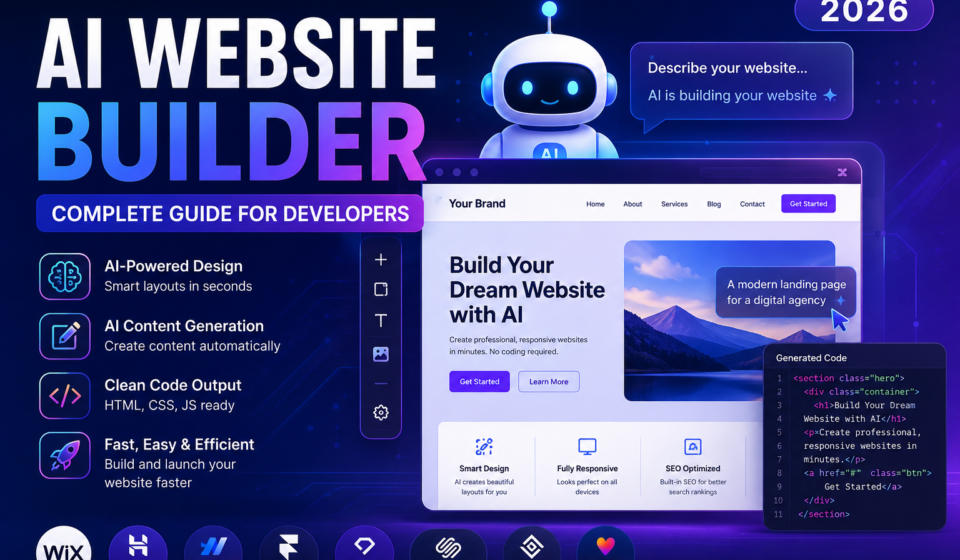

Artificial Intelligence (AI) is changing how websites are created. Instead of spending days designing layouts and writing code manually, developers and beginners can now generate professional websites within minutes using AI-powered website builders.
Whether you’re creating a personal portfolio, business website, blog, online store, or landing page, AI can help automate much of the work—including layout design, content generation, images, color schemes, SEO suggestions, and even code generation.
In this guide, you’ll learn what AI website builders are, how they work, the best tools available, how to build a website step by step, their advantages and disadvantages, SEO best practices, and the future of AI-powered web development.
Table of Contents
What is an AI Website Builder?
An AI Website Builder is software that uses Artificial Intelligence to automatically create websites based on user requirements.
Instead of designing everything manually, users simply answer a few questions, such as:
- Website type
- Business name
- Industry
- Preferred colors
- Required pages
- Features
The AI then generates a complete website including:
- Homepage
- About page
- Contact page
- Images
- Color palette
- Typography
- Navigation
- SEO content
- Mobile responsiveness
Many modern AI website builders can also generate HTML, CSS, JavaScript, and even backend code.
How Does an AI Website Builder Work?
Most AI website builders follow a simple workflow:
Step 1: User Input
Provide information about:
- Business
- Services
- Target audience
- Design preferences
↓
Step 2: AI Analysis
The AI analyzes thousands of website layouts, templates, and design patterns.
↓
Step 3: Content Generation
The AI generates:
- Headlines
- Paragraphs
- Images
- Icons
- Buttons
- SEO metadata
↓
Step 4: Layout Creation
It automatically creates:
- Navigation
- Hero section
- Feature sections
- Contact forms
- Footer
↓
Step 5: Website Publishing
After reviewing the generated site, users can customize it and publish it.
Major Features
Modern AI Website Builders include:
- AI-generated layouts
- Automatic content writing
- AI image generation
- SEO optimization
- Mobile-friendly design
- Drag-and-drop editor
- Code generation
- AI chatbot integration
- E-commerce support
- Analytics integration
- Hosting options
- Domain connection
- Blog creation
- Forms
- Marketing tools
Best AI Website Builder Tools (2026)
1. Wix AI
Best for beginners and small businesses.
Features:
- AI website generator
- AI content writer
- AI image generation
- SEO assistant
- Online store support
Pros
- Easy to use
- Fast setup
- Excellent templates
Cons
- Limited advanced customization
Official Website:
https://www.wix.com/
2. Hostinger AI Website Builder
Ideal for startups and freelancers.
Features
- AI website generator
- AI logo maker
- AI writer
- AI heatmap
- SEO optimization
Pros
- Affordable
- Fast performance
Official Website:
https://www.hostinger.com/
3. Squarespace AI
Excellent for portfolios and creatives.
Features
- AI design assistant
- AI content suggestions
- Professional templates
- Blogging tools
Official Website:
https://www.squarespace.com/
4. Framer AI
Perfect for modern UI design.
Features
- AI page generation
- Responsive design
- Interactive animations
- React support
Official Website:
https://www.framer.com/
5. Webflow AI
Best for developers.
Features
- Visual coding
- CMS
- AI content generation
- Responsive design
Official Website:
https://webflow.com/
6. Durable AI
Creates websites in less than one minute.
Features
- AI website generator
- CRM
- Marketing tools
- AI blog generator
Official Website:
https://durable.co/
7. 10Web AI Builder
Built for WordPress users.
Features
- WordPress AI
- Elementor integration
- AI recreation
- Hosting
Official Website:
https://10web.io/
8. Lovable
A prompt-driven AI app and website builder that generates full-stack applications from natural language.
Features
- Prompt-to-app generation
- Frontend and backend support
- Integrations
- Rapid prototyping
Official Website:
https://lovable.dev/
Comparison Table
| Tool | Best For | AI Features | Free Plan |
|---|---|---|---|
| Wix AI | Beginners | ⭐⭐⭐⭐⭐ | Yes |
| Hostinger | Small Business | ⭐⭐⭐⭐ | No |
| Webflow AI | Developers | ⭐⭐⭐⭐⭐ | Yes |
| Framer AI | UI Design | ⭐⭐⭐⭐⭐ | Yes |
| Durable AI | Speed | ⭐⭐⭐⭐ | Trial |
| Squarespace AI | Portfolio | ⭐⭐⭐⭐ | Trial |
| 10Web AI | WordPress | ⭐⭐⭐⭐⭐ | Trial |
| Lovable | Developers | ⭐⭐⭐⭐⭐ | Yes |
How to Build a Website Using AI
Step 1
Choose an AI website builder.
Step 2
Create an account.
Step 3
Enter your business details.
Step 4
Select the website category.
Step 5
Let AI generate the website.
Step 6
Customize:
- Colors
- Fonts
- Images
- Content
- Navigation
Step 7
Optimize for SEO.
Step 8
Connect your custom domain.
Step 9
Publish the website.
AI Website Builder vs Traditional Development
| Feature | AI Builder | Traditional Development |
| Speed | Minutes | Days or Weeks |
| Coding Required | Minimal | Extensive |
| Cost | Low | Higher |
| Maintenance | Easy | Manual |
| Customization | Medium | Very High |
| SEO Tools | Built-in | Manual |
Advantages
- Saves time
- Reduces development cost
- No design experience required
- SEO assistance
- Responsive websites
- AI-generated content
- Automatic optimization
- Faster deployment
- Easy maintenance
- Beginner-friendly
Limitations
- Limited customization compared to hand-coded websites
- AI-generated content should be reviewed for accuracy and originality
- Some advanced features require paid plans
- Vendor lock-in may make migration difficult
- Complex applications still require experienced developers
SEO Tips
- Write unique content instead of relying only on AI.
- Optimize page titles and meta descriptions.
- Use descriptive headings (H1–H3).
- Compress and optimize images.
- Add internal links to related articles.
- Link to authoritative external resources.
- Improve Core Web Vitals.
- Use structured data where appropriate.
- Create mobile-friendly pages.
- Regularly update your content.
Best Practices
- Start with a clear sitemap.
- Use a consistent color palette.
- Keep navigation simple.
- Optimize image sizes.
- Test on desktop and mobile.
- Add analytics and search console.
- Back up your website regularly.
Future of AI Website Builders
AI website builders are evolving quickly. Future platforms are expected to offer:
- Voice-based website creation
- Autonomous design improvements
- Personalized user experiences
- AI-generated animations
- Automated accessibility checks
- Advanced multilingual support
- Integrated AI customer support
- Smarter performance optimization
Developers will increasingly focus on customization, integrations, and complex functionality while AI handles repetitive design and content tasks.
Frequently Asked Questions
Can AI build a complete website?
Yes. AI can generate layouts, content, images, and basic functionality. Developers may still need to customize advanced features.
Are AI website builders good for SEO?
Most modern AI website builders include SEO tools, but strong rankings still depend on quality content, performance, and backlinks.
Do developers still need to code?
For simple websites, often very little. For custom applications, APIs, or advanced functionality, coding remains important.
Which AI website builder is best for developers?
Webflow AI, Framer AI, Lovable, and 10Web AI are popular choices for developers because they balance AI assistance with customization.
Useful External Resources
- Google Search Central: https://developers.google.com/search
- MDN Web Docs: https://developer.mozilla.org/
- Schema.org: https://schema.org/
- Google Lighthouse: https://developer.chrome.com/docs/lighthouse/
- W3C Web Standards: https://www.w3.org/
- Core Web Vitals: https://web.dev/vitals/
Conclusion
AI website builders have transformed website development by reducing the time and effort needed to create modern, responsive websites. They are especially valuable for rapid prototyping, small business sites, portfolios, and blogs. While AI can automate design, content, and basic SEO, developers still play a critical role in building secure, scalable, and highly customized web applications.
By combining AI-powered tools with web development best practices and sound SEO strategies, you can create fast, attractive, and search-engine-friendly websites that deliver a better experience for users and perform well in search results.