AI Image Generators: The Ultimate Beginner’s Guide (2026)
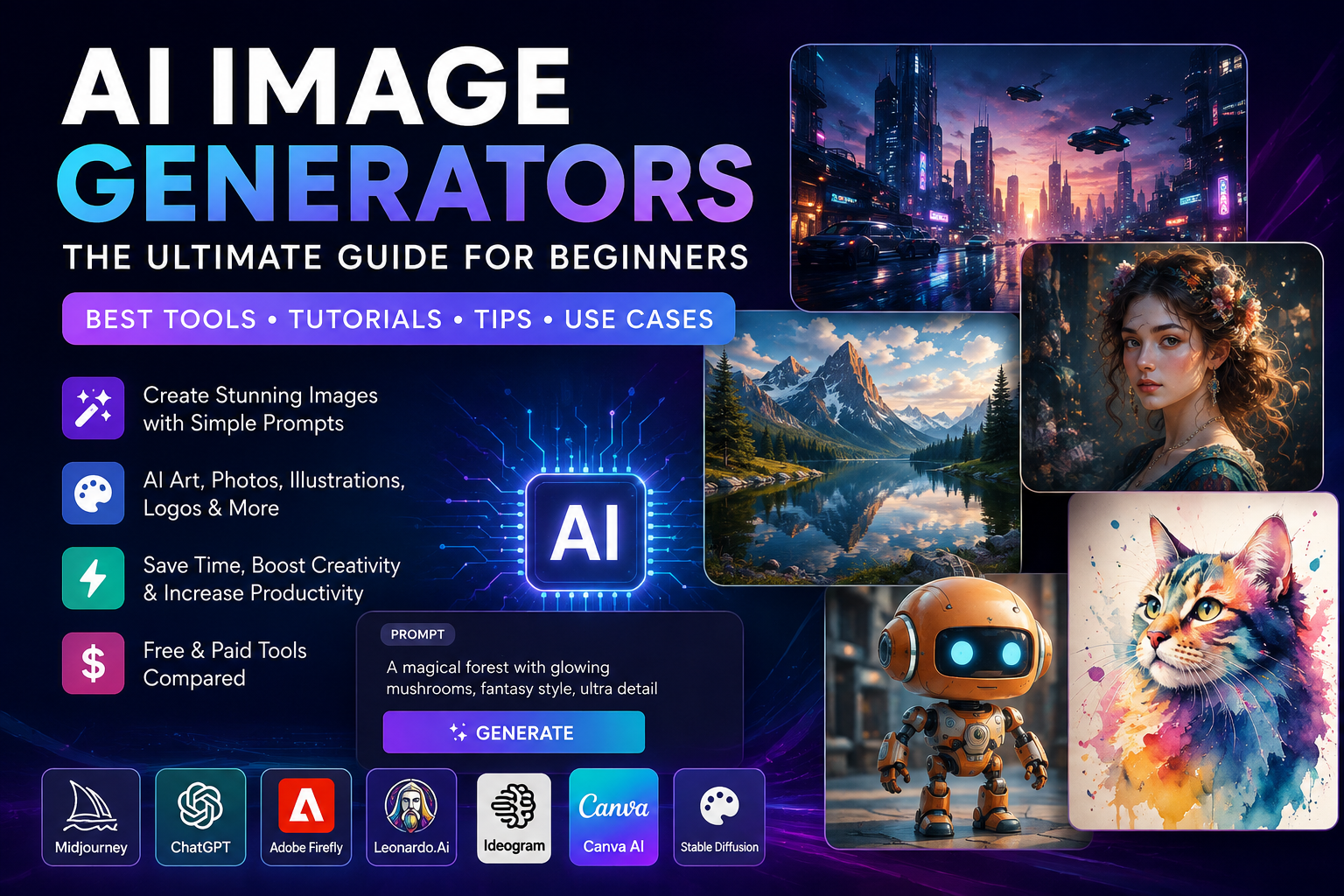
Artificial Intelligence has transformed digital creativity. Today, anyone can create professional-quality artwork, realistic photographs, illustrations, logos, marketing banners, YouTube thumbnails, and social media graphics simply by describing an idea in plain English.
This technology is called an AI Image Generator.
Whether you’re a blogger, designer, marketer, student, developer, entrepreneur, or content creator, AI image generators can dramatically reduce the time and cost required to produce high-quality visuals.
In this comprehensive guide, you’ll learn:
- What AI Image Generators are
- How they work
- Their advantages and limitations
- The best AI image tools available today
- Step-by-step tutorials
- Prompt writing techniques
- Real-world examples
- Commercial usage guidelines
- SEO tips for bloggers
- Frequently asked questions
By the end of this guide, you’ll know how to create professional AI-generated images for websites, blogs, YouTube, social media, business presentations, advertisements, and much more.
Table of Contents
What Are AI Image Generators?
AI Image Generators are software applications that create digital images using artificial intelligence based on text prompts, sketches, reference images, or existing photographs.
Instead of manually drawing an image, users simply type a description such as:
“A futuristic smart city at sunset with flying electric vehicles, neon lights, cinematic lighting, ultra-realistic, 8K.”
Within seconds, the AI generates one or more images matching the prompt.
These tools are powered by advanced machine learning models trained on millions (or more) of images and text descriptions. They learn patterns, styles, colors, composition, lighting, and object relationships to synthesize entirely new images.
How AI Image Generators Work
Although each platform has its own implementation, the workflow is broadly similar.
Step 1: User Input
The user provides one or more inputs:
- Text prompt
- Existing image
- Sketch
- Logo
- Style reference
- Character reference
Example:
“Create a modern office workspace with AI robots helping software developers.”
Step 2: AI Understands the Prompt
The AI analyzes:
- Objects
- Colors
- Lighting
- Perspective
- Style
- Mood
- Camera angle
- Composition
- Artistic references
This process uses natural language understanding to interpret the user’s intent.
Step 3: Image Generation
The model generates an image by progressively refining random visual noise into a coherent scene that matches the prompt.
Depending on the platform, generation may take only a few seconds.
Step 4: Image Refinement
Many AI image generators allow you to:
- Upscale images
- Remove backgrounds
- Replace objects
- Expand the canvas (outpainting)
- Modify selected regions (inpainting)
- Change styles
- Improve quality
- Create variations
Technologies Behind AI Image Generation
Modern AI image tools combine several AI technologies:
Large Language Models (LLMs)
LLMs help interpret prompts and understand context.
Diffusion Models
Diffusion models start with random noise and iteratively transform it into a detailed image guided by the prompt.
Computer Vision
Computer vision helps the AI recognize shapes, faces, objects, and spatial relationships.
Generative AI
Generative AI creates entirely new content rather than retrieving existing images.
Benefits of AI Image Generators
1. Faster Content Creation
Generate high-quality images in seconds rather than spending hours designing from scratch.
2. Lower Costs
Reduce the need for expensive photo shoots, stock image subscriptions, or custom illustrations.
3. Beginner Friendly
Most tools require no graphic design experience.
4. Endless Creativity
Experiment with countless artistic styles and concepts that would be difficult or expensive to produce manually.
5. Easy Customization
Regenerate, edit, and refine images quickly without starting over.
6. Higher Productivity
Create multiple concepts, marketing assets, and blog illustrations in minutes.
Popular Use Cases
AI image generators are widely used for:
- Blog feature images
- YouTube thumbnails
- Social media posts
- Website banners
- Product mockups
- Logos
- Book covers
- Game concept art
- Character design
- Educational graphics
- Infographics
- Marketing campaigns
- Advertising creatives
- E-commerce product visuals
- Presentation graphics
Who Should Use AI Image Generators?
These tools are valuable for:
- Bloggers
- Digital marketers
- Graphic designers
- Students
- Teachers
- Small businesses
- Startups
- Software developers
- Content creators
- YouTubers
- Social media managers
- UI/UX designers
- Authors
- Freelancers
Choosing the Right AI Image Generator
When selecting a tool, consider:
- Image quality
- Ease of use
- Editing features
- Commercial licensing
- Pricing
- Speed
- Prompt accuracy
- Support for text in images
- API availability
- Integration with your workflow
Best Image Generator AI Tools
1. ChatGPT Image Generation ⭐⭐⭐⭐⭐
Best For: General-purpose image creation, blog feature images, infographics, diagrams, marketing graphics, illustrations, and image editing.
Official Website
Why Choose ChatGPT?
ChatGPT can generate high-quality images from natural language prompts and also edit existing images. It is beginner-friendly and ideal for content creators who want professional visuals without advanced design skills.
Key Features
- Text-to-image generation
- Image editing
- Background replacement
- Object removal
- Infographics
- Blog feature images
- Social media graphics
- Transparent PNG generation
- Photorealistic rendering
- Cartoon & anime styles
Step-by-Step Tutorial
- Open ChatGPT.
- Choose image generation.
- Type your prompt.
Example:
Create a futuristic AI data center with glowing blue servers, cyberpunk lighting, ultra realistic, 8K.
- Wait for generation.
- Download the image.
Advantages
✔ Easy to use
✔ Excellent prompt understanding
✔ Image editing support
✔ Great for beginners
Limitations
- Some advanced features depend on your plan.
Best For
- Bloggers
- Digital marketers
- Teachers
- Students
- Small businesses
2. Midjourney ⭐⭐⭐⭐⭐
Official Website
Best For
Photorealistic artwork
Fantasy art
Character design
Advertising
Luxury product photography
Features
- Extremely realistic rendering
- Cinematic lighting
- Artistic styles
- Detailed textures
- Fashion photography
- Architecture concepts
Tutorial
- Create an account.
- Open the image creation interface.
- Enter your prompt.
Example
Luxury smartwatch on black marble table, studio lighting, realistic product photography, 8K.
- Generate.
- Upscale the best version.
Pros
- Outstanding image quality
- Excellent realism
- Rich artistic styles
Cons
- Learning curve
- Paid subscription required
3. Adobe Firefly ⭐⭐⭐⭐⭐
Official Website
Best For
Professional designers
Commercial artwork
Marketing teams
Adobe Creative Cloud users
Features
- Text-to-image
- Generative Fill
- Generative Expand
- Text effects
- Background replacement
- Commercial-safe workflows
Tutorial
- Open Adobe Firefly.
- Select Text to Image.
- Write your prompt.
- Choose style and aspect ratio.
- Generate and download.
Advantages
- High-quality commercial assets
- Integration with Photoshop
- Easy editing
Best Use Cases
- Product banners
- Business graphics
- Advertisements
- Website banners
4. Flux AI ⭐⭐⭐⭐⭐
Official Website
Best For
High-quality AI art
Photorealistic portraits
Concept design
Creative illustration
Features
- Excellent prompt accuracy
- Realistic lighting
- Natural skin tones
- Sharp details
- Fast rendering
Tutorial
- Visit a Flux-powered platform.
- Enter your prompt.
- Choose image size.
- Generate.
- Download.
Example Prompt
Professional software engineer working with holographic AI interface, modern office, cinematic lighting.
Advantages
- Excellent realism
- Natural composition
- Great prompt understanding
5. Ideogram ⭐⭐⭐⭐⭐
Official Website
Best For
Images containing readable text
Logos
Posters
YouTube thumbnails
Business graphics
Features
- High-quality typography
- Posters
- Marketing graphics
- Logo generation
- Social media images
Tutorial
Prompt
Modern technology conference poster with readable headline “Future of Artificial Intelligence 2026”, blue futuristic background.
Advantages
✔ Excellent text rendering
✔ Beautiful layouts
✔ Fast generation
Best Use Cases
- Posters
- Event banners
- Social media graphics
- Infographics
6. Leonardo AI ⭐⭐⭐⭐⭐
Official Website
Best For
Game assets
Concept art
Fantasy artwork
Characters
Illustrations
Features
- Character generation
- Environment design
- Texture generation
- Asset creation
- AI canvas
Tutorial
Example Prompt
Epic medieval castle on snowy mountain during sunrise, fantasy style, ultra detailed.
Generate multiple versions.
Upscale your favorite.
Export in HD.
Advantages
- Powerful free plan
- Excellent for gaming
- Rich editing tools
Best Use Cases
- Game development
- Comics
- Book covers
- Fantasy art
AI Image Generator Comparison
| Tool | Free Plan | Best For | Difficulty |
|---|---|---|---|
| ChatGPT | Yes | Overall Image Generation | Easy |
| Midjourney | No | Realistic Art | Medium |
| Adobe Firefly | Yes | Commercial Design | Easy |
| Flux AI | Yes | Photorealism | Easy |
| Ideogram | Yes | Text in Images | Easy |
| Leonardo AI | Yes | Game Art | Easy |
Which Tool Should You Choose?
Bloggers
⭐ ChatGPT
⭐ Adobe Firefly
⭐ Canva AI
YouTubers
⭐ Ideogram
⭐ ChatGPT
⭐ Midjourney
Graphic Designers
⭐ Adobe Firefly
⭐ Midjourney
⭐ Recraft
Developers
⭐ Stable Diffusion
⭐ Flux
Small Business
⭐ Canva AI
⭐ Microsoft Designer
⭐ ChatGPT
Tips for Better AI Images
- Write detailed prompts.
- Mention lighting, colors, and camera angle.
- Specify aspect ratio.
- Describe the art style.
- Include quality terms like 4K, 8K, ultra-detailed, or photorealistic only when appropriate.
- Generate multiple versions before choosing the final image.
- Review outputs for accuracy before publishing.
External Learning Resources
Official Websites
- ChatGPT – https://chatgpt.com
- Midjourney – https://www.midjourney.com
- Adobe Firefly – https://firefly.adobe.com
- Flux – https://blackforestlabs.ai
- Ideogram – https://ideogram.ai
- Leonardo AI – https://leonardo.ai
Official Documentation
- Adobe Firefly Help Center
- Leonardo AI Documentation
- Midjourney Documentation
- ChatGPT Help Center
Stable Diffusion
Official Website: https://stability.ai
Stable Diffusion is one of the most popular open-source AI image generation models. It enables users to create photorealistic images, digital artwork, product mockups, and illustrations from simple text prompts. Developers can also integrate Stable Diffusion into their own applications using its API.
Best For
- AI Art
- Photorealistic Images
- Developers
- API Integration
- Commercial Projects
Pricing: Free & Paid
Recraft
Official Website: https://www.recraft.ai
Recraft is an AI-powered graphic design platform designed for creating logos, vector graphics, icons, illustrations, and marketing materials. It is especially useful for designers who need editable vector outputs.
Best For
- Logo Design
- Vector Graphics
- Icons
- Branding
- Marketing Materials
Pricing: Free & Premium
Canva AI
Official Website: https://www.canva.com/ai-image-generator/
Canva AI allows users to create AI-generated images directly within Canva’s design platform. It combines image generation with thousands of templates, making it ideal for social media, presentations, blog graphics, and marketing content.
Best For
- Social Media
- Blog Images
- Presentations
- Posters
- Business Graphics
Pricing: Free & Canva Pro
Microsoft Designer
Official Website: https://designer.microsoft.com/image-creator
Microsoft Designer is an AI-powered design platform that helps users create images, invitations, banners, advertisements, and social media graphics using natural language prompts.
Best For
- Marketing Graphics
- Social Media Posts
- Invitations
- Business Design
- Promotional Images
Pricing: Free
Playground AI
Official Website: https://playground.com
Playground AI combines powerful AI image generation with built-in editing tools. It supports text-to-image generation, image editing, object removal, and creative design workflows for beginners and professionals.
Best For
- Image Editing
- Product Photography
- AI Art
- Marketing Graphics
- Creative Design
Pricing: Free & Premium
Dreamina
Official Website: https://dreamina.capcut.com
Dreamina is CapCut’s AI image generation platform that helps users create visually appealing illustrations, posters, social media graphics, anime artwork, and marketing creatives with simple prompts.
Best For
- Anime Art
- Posters
- Social Media
- Creative Design
- Content Creation
Pricing: Free & Premium
Freepik AI
Official Website: https://www.freepik.com/ai/image-generator
Freepik AI combines stock resources with AI-powered image generation, allowing users to create high-quality illustrations, marketing assets, icons, and commercial graphics.
Best For
- Stock Images
- Blog Graphics
- Marketing
- Business Design
- Presentations
Pricing: Free & Premium
NightCafe
Official Website: https://creator.nightcafe.studio
NightCafe is a popular AI art platform that offers multiple AI models for creating digital paintings, fantasy artwork, concept art, portraits, and artistic illustrations through text prompts.
Best For
- AI Art
- Digital Painting
- Fantasy Artwork
- Portraits
- Creative Projects
Pricing: Free Daily Credits & Premium
Mage.space
Official Website: https://www.mage.space
Mage.space is a browser-based AI image generation platform built on Stable Diffusion technology. It provides fast text-to-image generation with various artistic styles and customization options.
Best For
- Stable Diffusion
- AI Artwork
- Character Design
- Creative Images
- Fast Image Generation
Pricing: Free & Premium

vkgandhig
Technology, AI and Cyber Security Updates.

Leave a Reply