

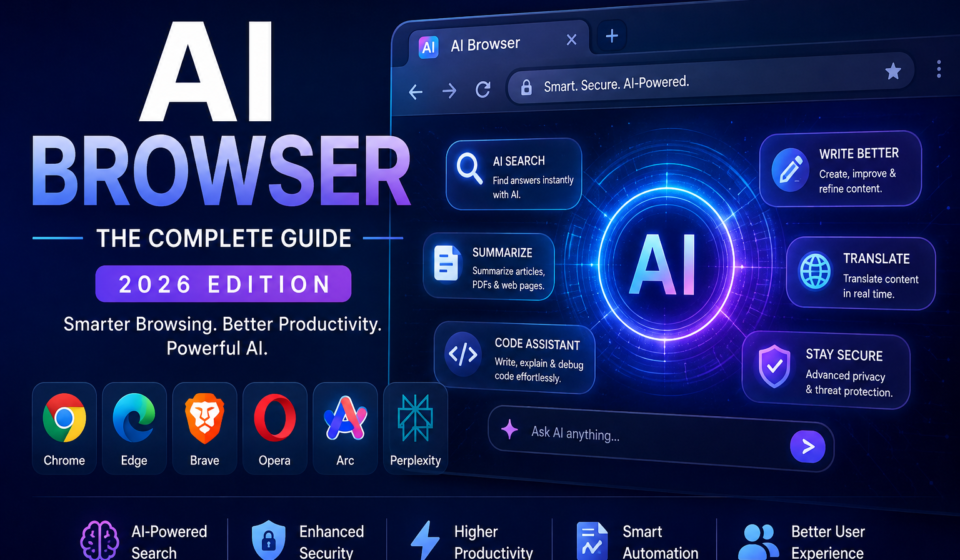
AI Browser: The Complete Guide (2026) – Features, Benefits, Best AI Browsers & Future Trends

Introduction to AI Browsers
Artificial Intelligence (AI) is transforming how people interact with the web. Instead of simply displaying websites, modern browsers are evolving into intelligent assistants that can answer questions, summarize content, write emails, translate languages, organize tabs, assist with coding, and automate repetitive tasks. These next-generation web browsers are known as AI Browsers.
As AI becomes deeply integrated into everyday digital experiences, AI browsers are changing the way students, professionals, developers, researchers, marketers, and businesses browse the internet. Rather than switching between multiple websites or AI tools, users can perform many tasks directly within the browser, making browsing faster, smarter, and more productive.
In 2026, AI browsers are expected to become a standard productivity tool by combining traditional web browsing with advanced artificial intelligence capabilities such as natural language understanding, real-time search assistance, intelligent content summarization, and workflow automation.
Whether you are researching a topic, writing a blog post, analyzing data, shopping online, or developing software, an AI browser can significantly reduce the time required to complete everyday online tasks.

Table of Contents
What Is an AI Browser?
An AI Browser is a web browser that integrates artificial intelligence technologies to help users search, understand, organize, and interact with online information more efficiently. Unlike traditional browsers that primarily display web pages, AI browsers actively assist users by interpreting requests, generating responses, summarizing information, translating languages, automating repetitive tasks, and providing personalized recommendations.
These browsers combine modern web technologies with advanced AI models, enabling users to communicate using natural language instead of relying only on keyword-based searches. Many AI browsers also include built-in AI assistants capable of explaining complex topics, drafting content, answering questions, assisting with programming, and managing daily workflows without leaving the browser.
An AI browser is not designed to replace the internet. Instead, it acts as an intelligent layer that enhances how users discover, understand, and use online information.
Key Characteristics of an AI Browser
- Built-in AI assistant for instant help
- AI-powered search and contextual answers
- Smart webpage summarization
- Writing and grammar assistance
- Automatic translation across multiple languages
- Intelligent tab organization
- Research and note-taking support
- Coding assistance for developers
- Voice-enabled interaction
- Productivity automation
Why AI Browsers Matter in 2026
The rapid growth of generative AI has increased the demand for faster and more efficient browsing experiences. AI browsers reduce information overload by delivering concise answers, summarizing lengthy documents, and helping users complete tasks without constantly switching between websites or applications.
Businesses are adopting AI browsers to improve employee productivity, while students use them for research and learning. Content creators benefit from AI-assisted writing, and developers can accelerate coding workflows using integrated AI programming assistants.
As organizations continue embracing digital transformation, AI browsers are becoming an essential productivity platform rather than just a tool for accessing websites.
How AI Browsers Work
AI browsers combine modern web technologies with advanced artificial intelligence to deliver a smarter browsing experience. Instead of only loading web pages, they analyze user intent, understand natural language, retrieve relevant information, and assist with tasks such as writing, coding, researching, and organizing content. This intelligent workflow allows users to complete more work without switching between multiple applications.
AI-Powered Search
Traditional search engines rely mainly on keywords to find relevant web pages. AI browsers, however, understand the meaning behind a user’s question and generate contextual responses.
For example, instead of searching:
“Best laptops for programming”
you can ask:
“Recommend the best programming laptop under $1,200 for AI development with at least 32 GB RAM.”
The AI browser analyzes your requirements, searches reliable sources, compares options, and provides a summarized answer with supporting references where available.
Benefits of AI-powered search:
- Understands conversational questions
- Delivers faster and more relevant answers
- Reduces the need to open multiple tabs
- Summarizes complex information
- Saves time during research
Built-in AI Assistants
Most AI browsers include an integrated AI assistant that is always available while browsing. Instead of opening a separate chatbot, users can interact directly with the assistant inside the browser.
These assistants can:
- Explain technical concepts
- Answer questions about the current webpage
- Summarize articles
- Generate emails
- Rewrite text
- Create reports
- Translate content
- Help debug programming code
- Recommend useful resources
The assistant remains context-aware, making interactions more efficient than copying and pasting content into external AI tools.
Natural Language Processing (NLP)
Natural Language Processing (NLP) enables AI browsers to understand human language rather than relying solely on keywords.
With NLP, users can ask questions naturally, such as:
- “Summarize this article.”
- “Explain this paragraph in simple language.”
- “Translate this page into Spanish.”
- “Compare these two products.”
- “Create notes from this research paper.”
The browser interprets the intent, processes the request, and produces meaningful responses that are easier to understand.
Context-Aware Browsing
One of the biggest advantages of AI browsers is contextual understanding.
Instead of treating every question independently, AI browsers can understand:
- The webpage currently being viewed
- Previous prompts in the same session
- User-selected text
- Open documents
- Images and PDFs
- Related browsing activity (subject to browser settings and permissions)
For example, while reading a cybersecurity article, you can ask:
“Explain this attack using a real-world example.”
The browser understands that “this attack” refers to the content on the current page and generates a relevant explanation without requiring you to repeat the context.
Machine Learning for Personalized Experiences
Machine learning helps AI browsers adapt to user behavior over time.
Depending on privacy settings and permissions, an AI browser may learn preferences such as:
- Frequently visited websites
- Preferred search style
- Favorite productivity tools
- Common writing tone
- Typical research topics
- Frequently used browser features
This personalization can improve recommendations, automate repetitive tasks, and streamline everyday workflows while giving users control over their data and privacy settings.
AI Models Working Behind the Scenes
Modern AI browsers rely on multiple AI technologies working together, including:
- Large Language Models (LLMs) for conversation and content generation
- Natural Language Processing (NLP) for understanding queries
- Machine Learning (ML) for personalization
- Computer Vision for interpreting images and screenshots
- Speech Recognition for voice commands
- Text-to-Speech (TTS) for reading content aloud
These technologies enable AI browsers to perform tasks that traditional browsers cannot handle on their own.
Typical AI Browser Workflow
A typical AI browser processes requests through the following steps:
- The user enters a question or command.
- The browser identifies the user’s intent.
- AI analyzes the request using language models.
- Relevant web content is retrieved when needed.
- The information is summarized or processed.
- The browser generates a clear, context-aware response.
- Users can continue the conversation with follow-up questions.
This workflow creates a more interactive and efficient browsing experience than traditional keyword-based navigation.
Real-World Example
Imagine a student researching renewable energy.
Instead of opening dozens of websites, the student can ask the AI browser:
- “Summarize the latest solar energy technologies.”
- “Create notes from this research paper.”
- “Compare solar panels and wind turbines.”
- “Generate a presentation outline.”
- “Cite reliable sources.”
Within minutes, the browser assists with research, note-taking, writing, and organization—saving significant time while improving productivity.
Core Features of AI Browsers
AI browsers offer far more than website navigation. They integrate intelligent tools that simplify research, writing, coding, communication, and productivity. These features reduce manual work, improve efficiency, and help users complete complex tasks directly within the browser.
AI Search and Instant Answers
One of the most valuable features of an AI browser is its ability to provide direct, context-aware answers instead of just listing links. By understanding natural language, AI browsers deliver concise explanations, comparisons, and summaries, helping users find information more quickly.
Key benefits include:
- Conversational search experience
- AI-generated summaries
- Context-aware recommendations
- Faster research with fewer searches
- Support for follow-up questions
Example: Instead of searching for “How to secure a WordPress website?”, you can ask “Create a beginner-friendly WordPress security checklist.” The AI browser generates a structured answer instantly.
Smart Tab Management
Managing dozens of open tabs can be overwhelming. AI browsers use intelligent algorithms to organize, group, and prioritize tabs automatically.
Capabilities include:
- Automatic tab grouping by topic
- Duplicate tab detection
- Intelligent tab suggestions
- Memory optimization
- Quick tab search using natural language
This helps users stay organized and improves browser performance.
AI Writing Assistant
Built-in AI writing tools help users create and improve content without switching to a separate application. Whether drafting emails, blog posts, or reports, the browser provides real-time writing assistance.
Common features include:
- Grammar and spelling correction
- Sentence rewriting
- Tone adjustment
- Content expansion
- Summarization
- Translation
- Headline generation
- SEO content suggestions
This is particularly useful for students, bloggers, marketers, and business professionals.
Web Page Summarization
Reading lengthy articles, research papers, or documentation can be time-consuming. AI browsers summarize content into clear, easy-to-read sections while preserving key information.
Benefits include:
- Faster information consumption
- Bullet-point summaries
- Highlighting important facts
- Simplifying technical topics
- Creating study notes
Users can quickly understand long-form content without reading every paragraph.
AI Translation
Modern AI browsers provide accurate, context-aware translation that goes beyond word-for-word conversion. They preserve the meaning, tone, and intent of the original content.
Supported tasks include:
- Translating entire web pages
- Translating selected text
- Multilingual conversations
- Document translation
- Language learning assistance
This makes global content more accessible to users worldwide.
Voice Search and Voice Commands
Voice-enabled browsing allows users to search the web and control browser functions using spoken commands.
Examples include:
- “Summarize this page.”
- “Open my bookmarks.”
- “Search for cybersecurity news.”
- “Translate this article.”
- “Read this page aloud.”
Voice interaction improves accessibility and provides a hands-free browsing experience.
AI Email and Document Assistance
AI browsers simplify everyday communication by helping users draft and edit professional documents directly within the browser.
Common tasks include:
- Writing emails
- Creating reports
- Drafting proposals
- Summarizing meeting notes
- Correcting grammar
- Improving readability
These tools save time and enhance communication quality.
AI Coding Support
Developers benefit from integrated AI coding assistants that provide real-time programming support while working in browser-based development environments.
Typical capabilities include:
- Code generation
- Error detection
- Bug explanations
- Code optimization
- Documentation generation
- SQL query assistance
- API examples
- Code translation between programming languages
AI coding support can accelerate software development and reduce repetitive tasks.
Screenshot Analysis
AI browsers can analyze screenshots and images to extract useful information.
This feature enables users to:
- Recognize text using OCR
- Explain diagrams
- Identify user interface elements
- Detect errors in screenshots
- Extract information from charts
- Translate text within images
It is especially helpful for troubleshooting and educational purposes.
PDF Summarization
Large PDF files can be difficult to review. AI browsers help by analyzing documents and generating concise summaries.
Users can:
- Summarize research papers
- Extract important points
- Search within PDFs
- Ask questions about document content
- Create notes automatically
This feature is valuable for researchers, students, and professionals working with technical documents.
Smart Bookmark Organization
Instead of manually organizing bookmarks, AI browsers automatically categorize and recommend saved content.
Features include:
- Automatic categorization
- AI-generated tags
- Duplicate bookmark detection
- Smart search
- Personalized recommendations
This makes it easier to locate important resources even months after saving them.
Productivity Automation
Many AI browsers automate repetitive online tasks, allowing users to focus on more meaningful work.
Examples include:
- Filling online forms
- Scheduling reminders
- Organizing research
- Creating task lists
- Collecting data from multiple websites
- Automating routine workflows
Automation improves efficiency for individuals and teams.
Privacy and Security Features
In addition to productivity, AI browsers often include advanced security tools that help protect users online.
Common security features include:
- Phishing protection
- Tracker blocking
- Malware detection
- Secure password and passkey support
- Encrypted browsing
- Privacy dashboards
- Permission management
- Safe download scanning
These capabilities help create a safer browsing environment while giving users greater control over their data.
Why These Features Matter
The combination of AI-powered search, intelligent writing, automation, coding assistance, translation, summarization, and security transforms the browser into a complete productivity platform. Instead of acting as a simple gateway to websites, AI browsers become intelligent digital assistants that support users throughout their daily workflows.
AI Browser vs Traditional Browser
Web browsers have evolved significantly over the past decade. Traditional browsers focus on loading web pages, managing bookmarks, and providing a secure browsing experience. AI browsers, on the other hand, combine these core capabilities with artificial intelligence to help users search, write, summarize, automate tasks, and make informed decisions.
Understanding the differences between AI browsers and traditional browsers can help users choose the right tool for their personal or professional needs.
Search Experience
The biggest difference lies in how information is discovered.
Traditional browsers depend on search engines that return a list of links based on keywords. Users must visit multiple websites, compare information, and identify reliable sources on their own.
AI browsers take a more conversational approach. They understand natural language queries, summarize information from relevant sources, and provide direct answers while allowing users to explore the original references when needed.
Traditional Browser
- Keyword-based searches
- Multiple websites to review
- Manual comparison of information
- Limited contextual understanding
AI Browser
- Conversational search
- Context-aware responses
- AI-generated summaries
- Faster access to relevant information
Productivity Features
Traditional browsers mainly rely on extensions for advanced functionality. Users often install separate tools for note-taking, grammar correction, translation, PDF reading, or task management.
AI browsers integrate many of these capabilities directly into the browser.
Traditional Browser Features
- Basic browsing
- Bookmark management
- Extensions for additional functionality
- Manual organization of tabs
AI Browser Features
- AI writing assistance
- Email drafting
- Document summarization
- Automatic tab organization
- Intelligent note generation
- Workflow automation
As a result, users spend less time switching between applications and more time completing their work.
Privacy and Security
Security is important for both browser types, but AI browsers often include additional intelligence to help detect online threats.
Traditional browsers typically provide:
- HTTPS enforcement
- Safe browsing warnings
- Password management
- Cookie controls
- Basic phishing protection
Many AI browsers build upon these features with capabilities such as:
- AI-assisted phishing detection
- Malicious website analysis
- Intelligent download scanning
- Privacy recommendations
- Passkey support
- Security alerts based on browsing context
However, users should always review an AI browser’s privacy policy and data handling practices before enabling AI-powered features.
AI Integration
Traditional browsers were not originally designed with AI at their core. While many now support AI through extensions or optional integrations, the experience may vary depending on the browser and the tools installed.
AI browsers place artificial intelligence at the center of the browsing experience.
Examples of built-in AI capabilities include:
- Web page summarization
- Question answering
- Content generation
- Code assistance
- Image analysis
- Language translation
- Task automation
- Research support
This integration reduces the need for multiple third-party applications.
Performance Comparison
Performance depends on hardware, browser optimization, installed extensions, and active AI features.
Traditional browsers are generally lightweight when used for standard web browsing. Their performance may decline as users install more extensions or keep many tabs open.
AI browsers perform additional processing for AI-assisted tasks, which can increase resource usage during complex operations. However, many modern AI browsers include optimization techniques such as:
- Intelligent memory management
- Sleeping inactive tabs
- GPU acceleration
- Efficient caching
- Cloud-based AI processing
These optimizations help maintain smooth performance while delivering advanced features.
Ease of Use
Traditional browsers are familiar to most users and require little or no learning.
AI browsers introduce conversational interfaces, AI assistants, and automation tools that may require a short learning period. Once users become familiar with these features, many find routine tasks easier and faster to complete.
For beginners, AI browsers often simplify complex workflows by allowing natural language commands instead of navigating multiple menus or websites.
Customization
Traditional browsers usually depend on extensions, themes, and plugins for customization.
AI browsers offer similar customization while adding intelligent personalization.
Examples include:
- Personalized AI recommendations
- Adaptive homepage content
- Smart bookmark organization
- Workflow suggestions
- AI-generated productivity shortcuts
These features evolve over time based on user preferences and browser settings.
Research Capabilities
Research is one area where AI browsers offer a significant advantage.
With a traditional browser, users often need to:
- Search multiple websites
- Read lengthy articles
- Compare sources manually
- Organize notes separately
AI browsers streamline this process by:
- Summarizing research papers
- Highlighting key findings
- Comparing information across sources
- Creating study notes
- Generating citations and outlines where supported
This can save substantial time for students, educators, researchers, and professionals.
Accessibility Features
Both browser types support accessibility tools, but AI browsers often enhance them with intelligent assistance.
Additional accessibility features may include:
- AI-generated captions
- Real-time translation
- Voice-controlled navigation
- Reading assistance
- Simplified explanations of complex content
- Text-to-speech capabilities
These features improve usability for a wider range of users.
Who Should Choose an AI Browser?
An AI browser is an excellent choice for:
- Students conducting research
- Developers writing and reviewing code
- Content creators producing articles
- Digital marketers managing campaigns
- Business professionals handling documents
- Researchers analyzing large volumes of information
- Anyone looking to improve productivity
Users who primarily browse websites without needing AI-powered tools may still find a traditional browser sufficient.
Comparison Table
| Feature | Traditional Browser | AI Browser |
|---|---|---|
| Search | Keyword-based | Conversational and AI-assisted |
| Content Summarization | Not built-in | Built-in |
| Writing Assistance | Extensions required | Integrated |
| Translation | Basic or extension-based | AI-powered |
| Coding Assistance | External tools | Built-in or integrated |
| Task Automation | Limited | Advanced |
| Tab Management | Manual | AI-powered |
| Research Support | Manual | Intelligent |
| Productivity | Standard | High |
| Learning Curve | Very Low | Low to Moderate |
Best AI Browsers in 2026
The rapid advancement of artificial intelligence has led to the development of browsers that go far beyond traditional web navigation. In 2026, several browsers offer built-in AI assistants, intelligent search, content summarization, writing support, coding assistance, and productivity automation.
The best AI browser depends on your needs, whether you’re a student, developer, researcher, content creator, or business professional. Below are some of the leading AI browsers available in 2026.
Microsoft Edge with Copilot
Microsoft Edge integrates Microsoft’s AI assistant, Copilot, directly into the browser. It combines web browsing with AI-powered search, writing assistance, document summarization, and productivity features.
Key Features
- Built-in AI assistant
- Web page summarization
- AI writing and rewriting
- PDF analysis
- Microsoft 365 integration
- Secure browsing features
- Vertical tabs
- Collections for research
Best For
- Business professionals
- Students
- Microsoft 365 users
- Researchers
Advantages
- Excellent productivity tools
- Strong enterprise security
- Seamless Microsoft ecosystem integration
- Regular feature updates
Opera One AI Browser
Opera One includes an integrated AI assistant and productivity-focused features designed to simplify everyday browsing.
Key Features
- Built-in AI assistant
- Smart tab organization
- Sidebar productivity tools
- AI writing assistance
- Integrated messaging apps
- Ad blocker
- Free VPN
Best For
- General users
- Students
- Content creators
- Everyday productivity
Advantages
- User-friendly interface
- Good balance of AI and browsing features
- Built-in privacy tools
Arc Browser
Arc Browser introduces a unique browsing experience centered around organization and productivity. It combines workspaces, intelligent tab management, and AI-powered tools.
Key Features
- Workspace organization
- AI-assisted browsing
- Smart tab management
- Split-screen browsing
- Productivity shortcuts
- Quick notes
- Modern interface
Best For
- Professionals
- Designers
- Developers
- Power users
Advantages
- Innovative interface
- Excellent multitasking
- Strong productivity workflow
Brave Browser with Leo AI
Brave Browser combines privacy-focused browsing with its integrated AI assistant, Leo. It is designed for users who value security while benefiting from AI-powered assistance.
Key Features
- Built-in AI assistant
- Tracker blocking
- Advertisement blocking
- Privacy protection
- Secure browsing
- AI summarization
- Private search engine
Best For
- Privacy-conscious users
- Researchers
- Security professionals
Advantages
- Excellent privacy features
- Fast browsing performance
- Reduced online tracking
Google Chrome with Gemini
Google Chrome integrates AI capabilities through Gemini, enhancing search, writing, and productivity while maintaining compatibility with the Chrome extension ecosystem.
Key Features
- AI-powered assistance
- Smart search enhancements
- Writing support
- Translation
- Chrome extensions
- Password Manager
- Synchronization across devices
Best For
- Google Workspace users
- Students
- Professionals
- Everyday browsing
Advantages
- Large extension ecosystem
- Excellent cross-device synchronization
- Familiar interface
Perplexity Comet
Perplexity Comet is an AI-first browser focused on conversational search, research, and answering complex questions. It is designed to help users find information efficiently with contextual responses and source-backed results.
Key Features
- AI-first browsing experience
- Conversational search
- Source-backed answers
- Research assistance
- Content summarization
- Context-aware AI interactions
Best For
- Researchers
- Students
- Knowledge workers
- Technical professionals
Advantages
- Strong research capabilities
- Quick access to reliable information
- Efficient content summarization
SigmaOS AI
SigmaOS combines workspace management with AI-powered productivity features, making it suitable for users handling multiple projects.
Key Features
- Workspace-based browsing
- AI assistance
- Smart organization
- Split workspaces
- Task management
- Efficient navigation
Best For
- Entrepreneurs
- Remote workers
- Project managers
- Productivity enthusiasts
Advantages
- Excellent organization
- Workflow optimization
- Modern interface
Dia Browser
Dia Browser is an emerging AI-centric browser that emphasizes conversational browsing and intelligent task assistance. It aims to simplify online work through integrated AI features.
Key Features
- AI-powered search
- Natural language interaction
- Smart content summarization
- Productivity assistance
- Research support
- Task automation
Best For
- Early adopters
- Researchers
- Professionals
- AI enthusiasts
Advantages
- AI-first design
- Efficient information retrieval
- Modern user experience
How to Choose the Right AI Browser
Selecting an AI browser depends on your workflow, privacy preferences, and productivity needs. Consider the following factors before making a decision.
AI Features
Evaluate whether the browser offers:
- AI writing assistance
- Conversational search
- Web page summarization
- Coding support
- Translation
- Voice commands
- Automation tools
Choose a browser with features that match your daily tasks.
Privacy and Security
Review the browser’s privacy controls and security capabilities.
Important considerations include:
- Tracker blocking
- Encryption
- Phishing protection
- Secure browsing
- Passkey support
- Data transparency
- Permission controls
Users handling sensitive information should prioritize browsers with strong privacy protections.
Performance
A good AI browser should balance advanced features with efficient performance.
Look for:
- Fast startup
- Low memory usage
- Efficient tab management
- Battery optimization
- Stable performance
- Responsive interface
Compatibility
Ensure the browser works well with your devices and preferred services.
Check support for:
- Windows
- macOS
- Linux
- Android
- iOS
- Browser extensions
- Cloud synchronization
Productivity Integration
Professionals often benefit from browsers that integrate with productivity tools.
Useful integrations include:
- Email platforms
- Cloud storage
- Office applications
- Project management tools
- Calendar services
- Collaboration platforms
Which AI Browser Is Best?
There is no single “best” AI browser for everyone. The right choice depends on your priorities.
| User Type | Recommended AI Browser |
|---|---|
| Students | Microsoft Edge with Copilot, Google Chrome with Gemini |
| Developers | Arc Browser, Microsoft Edge with Copilot |
| Researchers | Perplexity Comet, Brave Browser with Leo AI |
| Business Professionals | Microsoft Edge with Copilot |
| Privacy-Focused Users | Brave Browser with Leo AI |
| Content Creators | Opera One AI, Google Chrome with Gemini |
| Power Users | Arc Browser, SigmaOS AI |
Essential AI Browser Features for Professionals
AI browsers are transforming the way professionals work by combining intelligent assistance with everyday web browsing. Instead of switching between multiple applications, users can research, write, code, communicate, and organize information directly within the browser. Different professions benefit from different AI capabilities, making AI browsers valuable tools across industries.
AI for Students
Students spend a significant amount of time searching for information, reading research papers, taking notes, and preparing assignments. AI browsers simplify these tasks through intelligent learning tools.
How AI Browsers Help Students
- Summarize lengthy articles and textbooks
- Explain complex concepts in simple language
- Generate study notes
- Translate educational content
- Create assignment outlines
- Organize research sources
- Improve grammar and writing quality
- Generate practice questions
Example Use Case
A university student researching artificial intelligence can ask the browser to summarize multiple research papers, explain difficult technical terms, create revision notes, and suggest additional learning resources—all without leaving the browser.
AI for Developers
Developers constantly work with documentation, APIs, code examples, and debugging tools. AI browsers help streamline the software development process by providing coding assistance and faster access to technical information.
Key Features for Developers
- Code generation
- Code explanation
- Bug identification
- API documentation summaries
- SQL query generation
- Regular expression (Regex) assistance
- Error troubleshooting
- Code optimization suggestions
Benefits
- Faster development
- Reduced debugging time
- Improved code quality
- Easier learning of new technologies
- Better documentation understanding
AI for Content Creators
Content creators often manage blogs, videos, social media, newsletters, and marketing campaigns. AI browsers reduce repetitive tasks and accelerate the content creation process.
AI Features for Content Creation
- Blog writing assistance
- SEO recommendations
- Headline generation
- Grammar correction
- Content rewriting
- Social media captions
- Script generation
- Image description generation
Benefits
- Faster content production
- Improved readability
- Better SEO optimization
- Consistent writing style
- Reduced editing effort
AI for Digital Marketers
Digital marketers analyze trends, create campaigns, monitor competitors, and optimize websites. AI browsers make research and campaign planning more efficient.
Useful AI Capabilities
- Keyword research assistance
- Competitor analysis
- Campaign brainstorming
- Content optimization
- Landing page suggestions
- Marketing copy generation
- Trend monitoring
- Performance reporting summaries
Benefits
- Better campaign planning
- Improved productivity
- Faster market research
- More effective content strategies
AI for Business Teams
Business professionals rely on browsers for communication, collaboration, documentation, and research. AI browsers simplify daily workflows and improve team productivity.
Common Business Applications
- Draft professional emails
- Summarize meetings
- Create reports
- Prepare presentations
- Organize research
- Generate action items
- Review documents
- Translate business communications
Benefits
- Reduced administrative workload
- Faster document creation
- Improved collaboration
- Better decision-making through summarized insights
AI for Researchers
Researchers often analyze large volumes of information from journals, reports, technical documentation, and online databases. AI browsers significantly reduce the time required to review and organize research materials.
Research Features
- Literature summarization
- Citation assistance
- Source comparison
- PDF analysis
- Note generation
- Concept explanations
- Research organization
- Data extraction
Benefits
- Faster literature reviews
- Better organization
- Improved understanding of complex topics
- More efficient knowledge management
AI for Customer Support Professionals
Customer service teams can use AI browsers to respond more efficiently to customer inquiries while maintaining accuracy and consistency.
AI-Assisted Tasks
- Draft customer responses
- Summarize support tickets
- Translate customer messages
- Search knowledge bases
- Generate troubleshooting steps
- Improve response quality
Benefits
- Faster response times
- Consistent communication
- Increased customer satisfaction
- Reduced manual effort
AI for Project Managers
Project managers coordinate teams, monitor progress, and organize documentation. AI browsers help centralize information and automate repetitive planning tasks.
Useful Features
- Meeting summaries
- Task list generation
- Timeline planning
- Risk analysis
- Status report drafting
- Team communication assistance
- Project documentation summaries
Benefits
- Improved organization
- Better collaboration
- Faster reporting
- More efficient project tracking
AI for Designers
Design professionals frequently research trends, gather inspiration, review assets, and collaborate with clients. AI browsers assist throughout the creative process.
Design-Oriented Features
- Inspiration gathering
- Screenshot analysis
- Image description generation
- UI explanation
- Design documentation summaries
- Accessibility recommendations
Benefits
- Faster research
- Better collaboration
- Improved creative workflows
- Easier documentation
AI for Financial Professionals
Financial analysts and consultants process reports, market data, regulations, and business news daily. AI browsers simplify financial research and document analysis.
Common Applications
- Report summarization
- Financial news analysis
- Market research
- Spreadsheet explanations
- Investment comparisons
- Regulatory document summaries
Benefits
- Faster analysis
- Better information organization
- Improved decision-making
- Reduced research time
Universal Productivity Features
Regardless of profession, most users benefit from several common AI browser capabilities.
Smart Search
Quickly locate reliable information using natural language instead of multiple keyword searches.
Intelligent Summarization
Understand lengthy articles, reports, and PDFs in minutes through concise AI-generated summaries.
Writing Assistance
Create emails, documents, blog posts, reports, and presentations with built-in grammar, rewriting, and tone improvement tools.
Translation
Communicate across languages by translating web pages and documents while preserving context.
Voice Interaction
Use voice commands to search, summarize, and navigate the browser hands-free.
Workflow Automation
Automate repetitive online tasks such as organizing notes, creating task lists, and collecting information from multiple sources.
Choosing Features Based on Your Profession
When selecting an AI browser, prioritize features that align with your daily workflow.
| Profession | Most Valuable AI Features |
|---|---|
| Students | Summarization, note generation, translation |
| Developers | Coding assistance, documentation analysis, debugging |
| Content Creators | Writing assistance, SEO optimization, rewriting |
| Digital Marketers | Keyword research, content generation, competitor analysis |
| Business Teams | Email drafting, reports, meeting summaries |
| Researchers | Literature review, PDF analysis, source comparison |
| Designers | Screenshot analysis, accessibility insights, image descriptions |
| Financial Professionals | Report summarization, market research, document analysis |
AI Browser Security Features
As AI browsers become more powerful, security and privacy are more important than ever. Since these browsers process searches, documents, passwords, conversations, and AI-generated content, they must protect users against cyber threats while maintaining data privacy.
Modern AI browsers combine traditional browser security with artificial intelligence to detect threats, prevent phishing attacks, protect sensitive information, and provide a safer browsing experience.
Phishing Protection
Phishing remains one of the most common cyberattacks. Attackers create fake websites or emails to steal usernames, passwords, financial details, or personal information.
AI browsers improve phishing protection by analyzing web pages in real time instead of relying only on static blacklists.
How AI Detects Phishing
AI systems can evaluate:
- Website reputation
- Suspicious URLs
- Fake login pages
- Brand impersonation
- Malicious scripts
- Fraudulent payment pages
- Social engineering patterns
When suspicious activity is detected, the browser warns the user before sensitive information is entered.
Benefits
- Real-time protection
- Reduced phishing risks
- Safer online banking
- Better protection against fake websites
- Improved identity security
AI-Based Threat Detection
Traditional browsers primarily depend on predefined security databases. AI browsers add another layer by identifying unusual behavior that may indicate malware or cyberattacks.
Threats AI Can Detect
- Malware downloads
- Suspicious browser extensions
- Credential theft attempts
- Fake software updates
- Drive-by downloads
- Browser hijacking
- Malicious advertisements
Instead of waiting for known signatures, AI analyzes behavior patterns to identify potential threats more quickly.
Advantages
- Faster threat identification
- Better zero-day attack detection
- Continuous security monitoring
- Improved malware prevention
Secure Password Management
Although AI browsers promote passwordless authentication, many users still rely on passwords.
Modern AI browsers provide secure password management by offering:
- Password generation
- Secure storage
- Automatic autofill
- Password strength analysis
- Breach detection
- Password reuse alerts
These features help users maintain stronger account security while transitioning toward passwordless authentication.
Passkey Support
Passkeys are becoming the preferred authentication method because they eliminate many password-related risks.
AI browsers increasingly support passkey technology, allowing users to sign in using:
- Fingerprint recognition
- Face recognition
- Device PIN
- Hardware security keys
Benefits of Passkeys
- Resistant to phishing attacks
- Faster login experience
- No passwords to remember
- Reduced credential theft
- Strong cryptographic authentication
Passkeys represent one of the most significant security improvements in modern web authentication.
Privacy Controls
AI features often process user content to generate responses. Therefore, users should have transparent privacy controls.
Modern AI browsers typically provide options to manage:
- AI conversation history
- Browsing history
- Cookies
- Site permissions
- Camera and microphone access
- Location sharing
- AI personalization settings
- Data synchronization
Strong privacy controls allow users to decide how much information is shared with AI services.
Secure Browsing Modes
Secure browsing modes help users avoid dangerous websites and downloads.
Features commonly include:
- HTTPS enforcement
- Safe download verification
- Dangerous website warnings
- Malicious script blocking
- Certificate validation
- Secure DNS support
These protections reduce the likelihood of malware infections and online fraud.
Intelligent Extension Monitoring
Browser extensions can improve productivity but may also introduce security risks.
AI browsers help users by monitoring installed extensions for suspicious behavior.
Examples include:
- Excessive permission requests
- Hidden tracking
- Malicious code execution
- Unusual network activity
- Unauthorized data collection
This reduces the risk of compromised or unsafe extensions.
Secure File and Download Protection
AI browsers inspect downloaded files before users open them.
Common security checks include:
- Malware scanning
- File reputation analysis
- Suspicious executable detection
- Dangerous archive inspection
- Download source verification
These features help prevent accidental installation of malicious software.
AI-Powered Privacy Recommendations
Some AI browsers analyze privacy settings and recommend improvements.
Examples include:
- Blocking unnecessary trackers
- Removing excessive permissions
- Identifying risky websites
- Suggesting stronger authentication methods
- Enabling passkeys
- Improving browser configuration
These recommendations help users maintain a stronger security posture without requiring advanced technical knowledge.
Enterprise Security Features
Organizations increasingly deploy AI browsers across corporate environments.
Enterprise-focused capabilities may include:
- Centralized policy management
- Device compliance monitoring
- Identity verification
- Secure enterprise authentication
- Data loss prevention (DLP) integration
- Endpoint security integration
- Secure cloud access
- Audit logging
These features help organizations protect sensitive business information while enabling employees to use AI-powered productivity tools.
Zero Trust Compatibility
Many organizations are adopting the Zero Trust security model, which assumes that no user or device should be trusted automatically.
AI browsers support Zero Trust initiatives by enabling:
- Continuous identity verification
- Passkey authentication
- Multi-factor authentication (MFA)
- Device trust validation
- Risk-based authentication
- Secure access controls
This approach reduces the risk of unauthorized access to enterprise resources.
AI and Data Privacy Considerations
Although AI browsers provide powerful capabilities, users should understand how their data is processed.
Before using AI-powered features, review:
- Privacy policy
- Data retention practices
- AI training policies
- Cloud processing methods
- User consent options
- Data deletion controls
Choosing browsers with transparent privacy practices helps protect personal and business information.
Security Best Practices for AI Browser Users
To maximize security, follow these recommendations:
- Keep the browser updated.
- Enable automatic security updates.
- Use passkeys whenever supported.
- Turn on multi-factor authentication.
- Install extensions only from trusted sources.
- Review browser permissions regularly.
- Avoid downloading files from unknown websites.
- Verify URLs before entering sensitive information.
- Use secure Wi-Fi or a trusted VPN when accessing sensitive data.
- Regularly clear unnecessary browsing data if it aligns with your privacy needs.
Common Security Mistakes to Avoid
Many security incidents occur because of user behavior rather than browser vulnerabilities.
Avoid these common mistakes:
- Ignoring browser security warnings
- Reusing passwords across multiple accounts
- Installing unknown extensions
- Clicking suspicious email links
- Downloading software from unofficial websites
- Disabling browser security features
- Sharing sensitive information with untrusted AI services
Future of AI Browser Security
Over the next few years, AI browser security is expected to become even more intelligent.
Emerging trends include:
- Autonomous threat detection
- AI-driven fraud prevention
- Behavioral authentication
- Continuous identity verification
- Improved passkey adoption
- Privacy-preserving AI models
- Stronger enterprise security integration
These innovations will help create a safer and more trustworthy browsing experience.
AI Browser Use Cases
AI browsers are designed to simplify everyday online activities by combining web browsing with intelligent assistance. From research and software development to content creation and customer support, AI browsers help users complete tasks faster, improve productivity, and make better decisions.
The following use cases demonstrate how AI browsers are transforming work across different industries.
Academic Research
Students, teachers, and researchers often spend hours searching for reliable information, reviewing research papers, and organizing notes.
AI browsers streamline the research process by helping users:
- Summarize academic papers
- Explain technical concepts
- Compare multiple research sources
- Generate study notes
- Organize references
- Translate research documents
- Highlight important findings
Example
A university student preparing a dissertation can use an AI browser to summarize journal articles, explain complex theories, generate an outline, and organize references—all within the same browser session.
Benefits
- Faster literature reviews
- Improved learning
- Better note organization
- Reduced research time
Software Development
Developers frequently work with documentation, APIs, Git repositories, tutorials, and debugging tools.
AI browsers improve software development workflows by providing:
- Code generation
- Bug explanations
- API documentation summaries
- SQL query assistance
- Regular expression (Regex) generation
- Code optimization suggestions
- Technical documentation search
Example
A developer integrating a REST API can ask the AI browser to explain the documentation, generate sample code, identify errors, and recommend best practices without leaving the browser.
Benefits
- Faster coding
- Reduced debugging time
- Better documentation understanding
- Improved development productivity
SEO Research
Digital marketers and SEO professionals analyze keywords, competitors, search intent, and content performance every day.
AI browsers make SEO research more efficient through:
- Keyword brainstorming
- Search intent analysis
- Competitor comparison
- Content gap identification
- Meta title suggestions
- Meta description generation
- FAQ generation
- Content optimization recommendations
Example
An SEO specialist can analyze competitor articles, summarize key topics, identify missing content, and generate an optimized content outline in minutes.
Benefits
- Better keyword strategy
- Faster content planning
- Improved search visibility
- Increased productivity
Content Writing
Content creators often need to produce blog posts, newsletters, product descriptions, and marketing copy.
AI browsers assist throughout the writing process by helping users:
- Generate outlines
- Improve grammar
- Rewrite paragraphs
- Expand content
- Create summaries
- Suggest headings
- Optimize readability
- Improve SEO structure
Example
A blogger writing about cybersecurity can use the AI browser to gather research, summarize technical documents, improve grammar, and generate SEO-friendly headings without switching between multiple tools.
Benefits
- Faster writing
- Higher-quality content
- Improved readability
- Better workflow efficiency
Online Shopping
AI browsers simplify online shopping by analyzing products, comparing prices, and summarizing customer reviews.
Useful shopping features include:
- Product comparisons
- Review summarization
- Feature analysis
- Price monitoring
- Buying recommendations
- Specification comparisons
Example
Instead of reading hundreds of reviews, users can ask the AI browser to summarize customer feedback and highlight the advantages and disadvantages of different products.
Benefits
- Better purchasing decisions
- Reduced research time
- Easier product comparisons
Customer Support
Support professionals handle large numbers of customer requests every day.
AI browsers improve customer service by helping teams:
- Draft responses
- Summarize support tickets
- Translate customer messages
- Search knowledge bases
- Generate troubleshooting steps
- Create support documentation
Example
A support agent can summarize a customer’s issue, search internal documentation, and prepare a professional response within minutes.
Benefits
- Faster response times
- Improved customer satisfaction
- Consistent communication
- Reduced workload
Financial Research
Financial professionals regularly analyze reports, regulations, and market trends.
AI browsers assist by:
- Summarizing financial reports
- Comparing investments
- Explaining market trends
- Organizing research
- Monitoring financial news
- Simplifying complex documents
Example
An analyst can compare quarterly reports from multiple companies and generate a concise summary for decision-makers.
Benefits
- Faster financial analysis
- Better investment research
- Improved reporting
Business Communication
Business professionals spend significant time writing emails, preparing reports, and creating presentations.
AI browsers simplify these activities through:
- Email drafting
- Report generation
- Presentation outlines
- Meeting summaries
- Business translation
- Professional writing assistance
Example
A manager can convert meeting notes into an organized report and generate follow-up emails using the browser’s AI assistant.
Benefits
- Better communication
- Reduced administrative work
- Faster document preparation
Learning New Skills
AI browsers make online learning more interactive and efficient.
Users can:
- Ask follow-up questions
- Receive simplified explanations
- Generate quizzes
- Create flashcards
- Translate educational content
- Summarize tutorials
Example
A beginner learning Python programming can ask the AI browser to explain code, generate examples, and recommend learning resources while reading documentation.
Benefits
- Personalized learning
- Faster understanding
- Better retention of information
Team Collaboration
Modern workplaces rely on collaboration tools and shared documentation.
AI browsers help teams by:
- Summarizing shared documents
- Organizing project notes
- Creating meeting agendas
- Generating action items
- Improving communication
- Managing research
Benefits
- Better collaboration
- Increased productivity
- Improved project organization
Travel Planning
Planning a trip often involves comparing flights, hotels, attractions, and transportation.
AI browsers assist travelers by:
- Summarizing destination guides
- Comparing travel options
- Organizing itineraries
- Translating local information
- Recommending attractions
Benefits
- Easier travel planning
- Better organization
- Time savings
Healthcare Information
AI browsers can help users understand reliable health information by summarizing medical articles and explaining complex terminology. However, they should not replace professional medical advice or diagnosis.
Common Uses
- Explaining medical terms
- Summarizing healthcare articles
- Comparing treatment options from trusted sources
- Organizing wellness information
Benefits
- Easier understanding
- Faster access to educational information
- Better health literacy
Everyday Productivity
Many users simply want to complete everyday online tasks more efficiently.
Common daily activities include:
- Reading news
- Organizing bookmarks
- Managing emails
- Creating task lists
- Translating websites
- Summarizing long articles
- Scheduling reminders
- Managing documents
AI browsers reduce repetitive work and help users stay organized throughout the day.
Privacy Challenges of AI Browsers
AI browsers deliver intelligent features such as conversational search, content summarization, writing assistance, and workflow automation. To provide these capabilities, they may process user prompts, webpage content, uploaded files, and other data depending on the browser’s design and user settings.
Understanding the privacy challenges associated with AI browsers helps users make informed decisions and adopt safer browsing practices.
Data Collection
AI-powered features often require access to information so they can understand user requests and generate accurate responses.
Depending on the browser, its settings, and the AI service being used, data that may be processed includes:
- Search queries
- AI prompts
- Selected webpage content
- Uploaded documents
- Voice commands
- Images
- Browser settings
- Diagnostic information
Not every browser collects the same information, and users should review the browser’s privacy documentation to understand what data is processed and why.
Why Data Collection Matters
Responsible data handling can help improve AI functionality and service quality, while excessive or unclear data collection may increase privacy risks if users are not fully informed.
User Consent
Privacy begins with user control.
Modern AI browsers should clearly explain:
- What information is collected
- Why the information is needed
- How long the data is stored
- Whether information is used to improve AI models
- Who can access the data
- How users can delete their information
Users should have the option to enable or disable AI-powered features and manage related privacy settings.
Best Practices
- Read the privacy policy before enabling AI features.
- Review permissions regularly.
- Disable features you do not need.
- Delete AI conversation history if the browser provides that option.
AI Model Transparency
Transparency helps users understand how AI systems generate responses.
A trustworthy AI browser should communicate:
- When AI-generated content is being displayed
- Whether responses are based on live web information or existing model knowledge
- The limitations of AI-generated answers
- When confidence may be low
- How users can verify important information
Transparency is especially important when AI is used for research, financial decisions, legal matters, or healthcare information.
Cloud Processing vs Local Processing
AI browsers may process information in different ways.
Cloud-Based AI
Many AI features send requests to remote servers for processing.
Advantages
- Access to powerful AI models
- Frequent feature updates
- High-quality responses
- Lower hardware requirements
Considerations
- Requires an internet connection
- Data may leave the user’s device for processing
- Privacy depends on the provider’s policies and safeguards
Local AI Processing
Some AI features can run directly on the user’s device.
Advantages
- Greater privacy
- Faster responses for supported tasks
- Reduced dependence on cloud services
- Better offline capabilities
Considerations
- Requires more powerful hardware
- Advanced features may still rely on cloud processing
Enterprise Compliance
Organizations adopting AI browsers must ensure that their use aligns with legal, regulatory, and internal governance requirements.
Areas commonly considered include:
- Data protection policies
- Employee privacy
- Customer data handling
- Audit logging
- Access controls
- Information governance
- Industry-specific regulations
Businesses should evaluate AI browser features before deploying them in enterprise environments.
Third-Party Integrations
Many AI browsers integrate with external services such as:
- Cloud storage
- Email platforms
- Productivity suites
- Project management tools
- AI assistants
- Translation services
Before connecting third-party services, users should verify:
- Required permissions
- Data-sharing practices
- Security measures
- Account access levels
Limiting unnecessary integrations helps reduce privacy risks.
AI Conversation History
Some AI browsers store previous conversations to improve continuity and user experience.
Users should understand:
- Whether conversation history is saved
- How long it is retained
- Whether it can be deleted
- Whether synchronization occurs across devices
Regularly reviewing and managing stored conversations helps maintain better privacy.
Permission Management
AI browsers often request permissions for features such as:
- Microphone access
- Camera access
- Location services
- Clipboard access
- Notifications
- File uploads
Users should grant permissions only when necessary and revoke access for websites that no longer require it.
Protecting Sensitive Information
Although AI browsers can assist with many tasks, users should avoid sharing highly sensitive information unless they fully understand how it will be processed and stored.
Examples include:
- Financial account details
- Government identification numbers
- Passwords
- Encryption keys
- Confidential business documents
- Sensitive customer information
Good security practices remain essential, even when using advanced AI tools.
Privacy Best Practices
To improve privacy while using AI browsers:
- Keep the browser updated.
- Review AI settings regularly.
- Limit unnecessary permissions.
- Use strong authentication methods such as passkeys or multi-factor authentication where available.
- Verify privacy options before uploading documents.
- Install extensions only from trusted sources.
- Use secure networks when handling sensitive information.
- Log out of shared devices after use.
These practices help reduce privacy risks while preserving the benefits of AI-powered browsing.
Common Privacy Misconceptions
Several misconceptions can lead to poor privacy decisions.
“All AI Browsers Collect the Same Data”
False. Data practices vary by browser, AI provider, enabled features, and user settings.
“Private Browsing Prevents All Tracking”
Private or incognito mode primarily limits local browsing history on the device. It does not make users anonymous online or prevent all forms of tracking.
“AI Responses Are Always Private”
Privacy depends on the browser’s architecture, settings, and service provider. Users should review available controls and policies before sharing sensitive information.
“Cloud AI Is Always Less Secure”
Not necessarily. Well-designed cloud services can implement strong encryption and security controls, while local processing offers different privacy advantages. Security depends on implementation and operational practices rather than deployment model alone.
The Future of AI Privacy
Privacy technologies are evolving alongside AI.
Emerging developments include:
- On-device AI processing
- Privacy-preserving machine learning
- Federated learning
- Stronger encryption techniques
- Improved user consent mechanisms
- Granular permission controls
- Transparent AI governance
These innovations aim to balance intelligent features with stronger user privacy.
AI Browser Performance Optimization
AI browsers combine traditional web browsing with advanced artificial intelligence capabilities such as content summarization, intelligent search, real-time translation, and workflow automation. While these features enhance productivity, they can also increase resource usage. Optimizing browser performance helps ensure a fast, responsive, and efficient browsing experience.
This section explores practical techniques used by modern AI browsers to improve speed, reduce memory consumption, and maximize overall performance.
Memory Management
Memory (RAM) is one of the most important factors affecting browser performance. Opening multiple tabs, running AI assistants, and using browser extensions can increase memory usage.
Modern AI browsers use intelligent memory management to keep resource consumption under control.
Common Memory Optimization Techniques
- Sleeping inactive tabs
- Automatic tab discarding
- Memory compression
- Intelligent resource allocation
- Background process optimization
- Lazy loading of inactive pages
Benefits
- Faster browsing
- Reduced RAM usage
- Improved multitasking
- Better overall system performance
CPU Optimization
AI-powered features such as language processing, image recognition, and document analysis can require significant processing power.
Modern AI browsers optimize CPU usage by:
- Running background tasks efficiently
- Prioritizing active browser tabs
- Scheduling AI workloads intelligently
- Reducing unnecessary computations
- Using hardware acceleration where available
Benefits
- Smoother browsing
- Reduced processor load
- Faster AI responses
- Better multitasking performance
Battery Efficiency
Battery life is especially important for laptop users and mobile devices.
AI browsers improve battery efficiency through:
- Intelligent background task management
- Energy-efficient rendering
- Optimized AI processing
- Reduced background synchronization
- Adaptive refresh rates
- Automatic suspension of inactive tabs
Benefits
- Longer battery life
- Lower power consumption
- Improved mobile productivity
Faster Page Loading
Users expect websites to load quickly.
AI browsers improve loading performance using multiple optimization techniques.
Page Loading Technologies
- Intelligent caching
- Resource preloading
- DNS prefetching
- Image optimization
- Script prioritization
- Lazy loading
- Efficient network management
These technologies reduce loading times while improving responsiveness.
AI Caching Techniques
Caching stores frequently accessed data so it can be retrieved more quickly.
AI browsers use advanced caching methods to improve performance.
Types of AI Caching
- Web content caching
- AI response caching
- Frequently used prompt caching
- Image caching
- Document caching
- DNS caching
Advantages
- Faster search responses
- Reduced network requests
- Lower bandwidth usage
- Improved browsing speed
Smart Resource Allocation
AI browsers intelligently distribute system resources based on user activity.
Examples include:
- Prioritizing active tabs
- Reducing resources for inactive tabs
- Allocating GPU resources efficiently
- Balancing AI processing workloads
- Managing background services
This dynamic resource management helps maintain consistent browser performance.
Network Optimization
Network performance directly affects browsing speed and AI responsiveness.
AI browsers improve connectivity through:
- Intelligent request routing
- Connection reuse
- Data compression
- Optimized content delivery
- Efficient download management
- Adaptive network optimization
Benefits
- Faster downloads
- Reduced latency
- Improved cloud AI performance
- Better streaming quality
Hardware Acceleration
Many AI browsers utilize hardware acceleration to improve graphics rendering and AI performance.
Hardware acceleration enables:
- Faster video playback
- Improved animation rendering
- Better graphics performance
- Efficient AI computations
- Reduced CPU workload
Compatible hardware can significantly enhance the browsing experience.
Extension Management
Installing too many browser extensions can reduce performance.
To maintain optimal speed:
- Install only trusted extensions.
- Remove unused extensions.
- Disable extensions that are rarely needed.
- Review extension permissions regularly.
- Update extensions to the latest versions.
Keeping the extension list minimal reduces unnecessary resource usage.
Background Process Optimization
AI browsers often run background services for synchronization, notifications, and AI processing.
Modern optimization techniques include:
- Automatic background task scheduling
- Intelligent synchronization intervals
- Resource-aware processing
- Efficient notification handling
- Idle-time optimization
These improvements reduce system load without affecting functionality.
Performance Monitoring
Many AI browsers provide built-in tools that help users monitor browser performance.
Useful metrics include:
- Memory usage
- CPU utilization
- Network activity
- Active tabs
- Extension impact
- Battery consumption
Monitoring these metrics helps users identify performance bottlenecks.
Best Practices for Maximum Performance
To keep an AI browser running efficiently:
- Keep the browser updated.
- Close unused tabs regularly.
- Remove unnecessary extensions.
- Restart the browser periodically.
- Clear cached data when appropriate.
- Enable hardware acceleration if supported.
- Keep your operating system updated.
- Use a stable internet connection for cloud-based AI features.
- Maintain adequate free disk space.
- Review browser settings to disable features you do not use.
Common Performance Issues
Although AI browsers are optimized for efficiency, users may occasionally encounter performance challenges.
Slow Startup
Possible causes:
- Too many startup tabs
- Heavy extensions
- Large browsing history
- Insufficient system resources
High Memory Usage
Possible causes:
- Numerous open tabs
- Resource-intensive websites
- Multiple AI sessions
- Background applications
Increased CPU Usage
Possible causes:
- AI processing
- Video rendering
- Large document analysis
- Extension conflicts
Slow AI Responses
Possible causes:
- Poor internet connectivity
- Temporary server load
- Large or complex requests
- High system resource usage
Understanding these factors helps users troubleshoot performance issues more effectively.
Future Performance Improvements
AI browser performance is expected to improve through advances in both software and hardware.
Emerging innovations include:
- On-device AI acceleration
- Dedicated AI processors (NPUs)
- Smarter memory management
- Faster local AI inference
- More efficient caching algorithms
- Improved battery optimization
- Better GPU utilization
- Adaptive workload distribution
These developments will make AI-powered browsing faster and more energy-efficient.
Key Takeaways
- AI browsers use intelligent memory management to improve multitasking and reduce RAM usage.
- CPU optimization and hardware acceleration help maintain smooth performance during AI-powered tasks.
- Battery optimization techniques extend device runtime while supporting advanced browser features.
- AI caching and smart resource allocation reduce loading times and improve responsiveness.
- Managing extensions, monitoring performance, and following optimization best practices help maintain long-term browser efficiency.
- Future AI browsers will benefit from dedicated AI hardware, faster local processing, and more advanced optimization technologies.
Further Reading & Official Resources
To deepen your understanding of AI browsers, artificial intelligence, web technologies, and browser security, explore these official resources:
- Google Chrome – Learn about Google’s web browser, performance features, and AI-powered capabilities: Google Chrome
- Microsoft Edge – Discover Microsoft Edge, its built-in AI features, security tools, and productivity enhancements: Microsoft Edge
- Google Gemini – Explore Google’s AI assistant and its integration across Google services: Google Gemini
- Microsoft Copilot – Learn how Microsoft’s AI assistant improves productivity, research, and document creation: Microsoft Copilot
- Opera Browser – Discover Opera’s AI-powered browser features, privacy tools, and built-in productivity options: Opera Browser
- Brave Browser – Learn about privacy-focused browsing, tracker blocking, and Brave’s AI capabilities: Brave Browser
- Arc Browser – Explore Arc Browser’s innovative workspace-based browsing experience: Arc Browser
- Perplexity AI – Discover AI-powered search and research tools designed for conversational information retrieval: Perplexity AI
- OpenAI – Learn more about the AI technologies that power modern conversational assistants: OpenAI
- World Wide Web Consortium (W3C) – Explore official web standards, accessibility guidelines, and browser technologies: W3C
These official resources provide up-to-date information on AI-powered browsing, browser security, web standards, and the latest developments in artificial intelligence. Reviewing documentation from trusted sources can help you stay informed as AI browsers continue to evolve.
Related Articles
You may also find these guides helpful:
- AI Search Optimization 2026
- Google AI Mode SEO Guide
- Prompt Engineering
- AI Agents vs AI Chatbots
- AI-Driven Automation
- Passwordless Authentication Guide (2026)
- Multi-Factor Authentication (MFA)
- Identity and Access Management (IAM)
- Zero Trust Security
- Network Security
- Endpoint Detection and Response (EDR)
- VPN Explained