
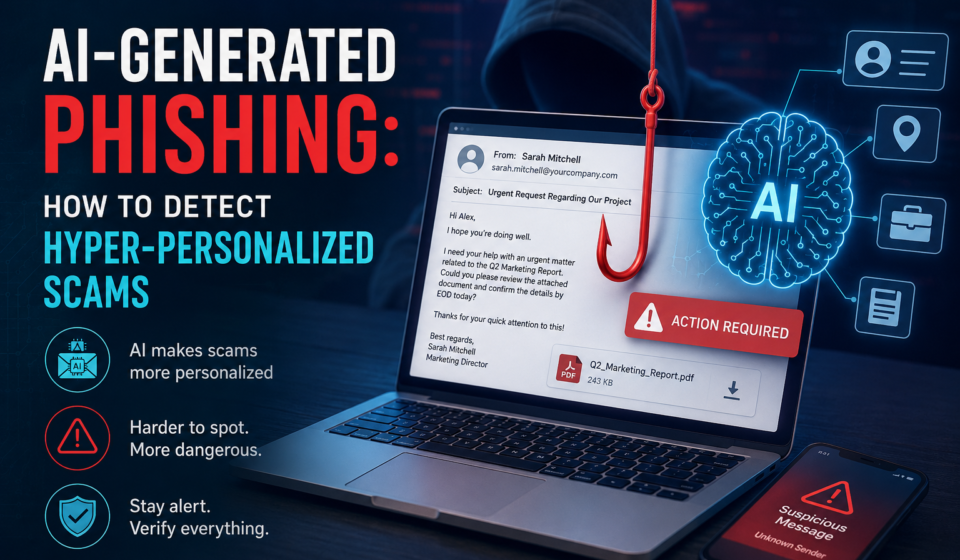

Phishing has entered a new era.
For years, identifying a phishing email was relatively straightforward. Poor grammar, strange formatting, suspicious attachments, fake domains, and generic greetings such as “Dear Customer” were common warning signs.
But generative AI is changing the equation.
Attackers can now use AI to produce convincing messages, research targets, imitate communication styles, and personalize scams at a scale that was previously difficult and expensive. Google’s threat-intelligence team has reported observing threat actors using AI to gather information and create highly realistic phishing scams.
Recent research is even more concerning: a large USENIX study involving 7,700 participants found that personalized phishing generated with large language models produced nearly three times the click rate of generic phishing, while the estimated personalization cost was only about $0.03 per email.
That means the old rule—“look for spelling mistakes”—is no longer enough.
This guide explains what AI-generated phishing is, how hyper-personalized scams work, the warning signs to watch for, and how individuals and organizations can defend themselves.

Table of Contents
What Is AI-Generated Phishing?
AI-generated phishing is a phishing attack in which criminals use artificial intelligence to create, customize, translate, or improve fraudulent communications.
These communications may include:
- Emails
- SMS messages
- WhatsApp messages
- Social-media messages
- Fake customer-support conversations
- Voice calls
- Fake invoices
- Password-reset notifications
- Fake recruitment messages
- Business-email-compromise attempts
- QR-code phishing messages
Traditional phishing often relies on sending the same message to thousands or millions of people.
AI makes it possible to create a different message for each target.
Instead of:
“Dear customer, your account has been suspended.”
an attacker may create a message that references a person’s actual workplace, current project, recent event, colleague, or professional interests.
The result is hyper-personalized phishing.
What Is Hyper-Personalized Phishing?
Hyper-personalized phishing is a form of social engineering in which an attacker uses information about a specific person or organization to make a scam appear legitimate.
Information may come from:
- LinkedIn profiles
- Company websites
- Social media
- GitHub repositories
- Public documents
- Conference pages
- Job advertisements
- News articles
- Data breaches
- Previously compromised accounts
- Publicly available business information
Generative AI can then help transform that information into convincing messages.
A 2026 research study specifically examined context-aware spear phishing using publicly available social-media information and generative AI. The researchers found that AI can automate the creation of highly personalized phishing content based on contextual information about targets.
Why AI Makes Phishing More Dangerous
AI does not necessarily create an entirely new type of phishing.
Instead, it makes existing attacks faster, cheaper, more scalable and more convincing.
1. Better Writing
Traditional phishing messages frequently contained obvious grammatical mistakes.
AI can produce polished business language in seconds.
This removes one of the easiest warning signs users previously relied upon.
2. Personalization at Scale
An attacker can potentially create customized messages for different victims instead of sending one generic template.
For example, different recipients might receive messages referencing:
- Their employer
- Their department
- Their job title
- A current project
- A recent conference
- A known colleague
- A software platform they use
This makes the message feel much more authentic.
3. Translation
AI can translate phishing content into many languages while preserving a natural conversational tone.
This makes international phishing campaigns easier to operate.
4. Faster Campaign Creation
AI can dramatically reduce the amount of manual writing required to create variations of scam messages.
Attackers can potentially generate many variations rather than repeatedly sending identical content.
That creates an additional challenge for traditional security systems that rely heavily on recognizable patterns.
5. Better Social Engineering
The most dangerous part of AI phishing isn’t necessarily the technology itself.
It is psychological manipulation.
A convincing message may exploit:
- Urgency
- Authority
- Fear
- Curiosity
- Trust
- Financial pressure
- Workplace responsibility
- Personal relationships
CISA defines phishing as a form of social engineering in which attackers attempt to trick victims into revealing information or taking an action that compromises systems or accounts.
How a Hyper-Personalized Phishing Attack Works
A typical attack can be divided into several stages.
Stage 1: Target Selection
The attacker identifies a person or organization worth targeting.
High-value targets may include:
- Executives
- Finance employees
- IT administrators
- Developers
- HR employees
- Business owners
- Customer-service representatives
- Employees with access to sensitive systems
Stage 2: Information Gathering
The attacker collects publicly available information.
For example:
Target: Employee at a technology company
Public information might reveal:
- Job title
- Company
- Programming languages
- Current projects
- Professional contacts
- Recent conference attendance
- Social-media activity
The attacker can then use this information to construct a believable scenario.
Stage 3: Message Generation
Generative AI can help produce a message matching the target’s context.
The attacker may create multiple versions with different:
- Subject lines
- Writing styles
- Requests
- Names
- Timing
- Language
- Social-engineering approaches
Stage 4: Delivery
The message may arrive through:
- SMS
- Telegram
- Voice calls
- Collaboration platforms
AI-powered scams are increasingly becoming multichannel rather than email-only.
The FBI has previously warned about campaigns involving impersonation, AI-generated voice messages, malicious links and attempts to establish trust with targeted individuals.
Stage 5: The Hook
The attacker wants the victim to perform an action.
For example:
- Open a malicious link
- Log in to a fake website
- Download a file
- Transfer money
- Reveal an OTP
- Share credentials
- Change payment details
- Approve an authentication request
- Contact a fraudulent phone number
15 Warning Signs of AI-Generated Phishing
The biggest mistake is assuming that AI phishing will always look obviously fake.
Instead, look at the behavior and context of the message.
1. Unexpected Urgency
Be suspicious when a message demands immediate action.
Examples include:
- “Complete this within 30 minutes.”
- “Your account will be disabled today.”
- “Please make the payment immediately.”
- “I need this before the meeting.”
- “Don’t call me—just complete the request.”
Urgency is designed to prevent careful thinking.
2. Unexpected Requests for Money
Treat unexpected financial requests as high risk.
Especially when someone asks you to:
- Change bank details
- Purchase gift cards
- Send cryptocurrency
- Make an urgent transfer
- Pay an unfamiliar invoice
- Send money to a new account
Always verify the request through an independent communication channel.
3. The Message Knows Too Much
Ironically, personalization can itself become a warning sign.
Suppose an unknown sender mentions:
- Your employer
- Your recent project
- Your manager
- Your job role
- A conference you attended
That doesn’t prove the message is legitimate.
It may mean the attacker researched you.
4. The Message Is Almost Correct
AI-generated scams may contain accurate information mixed with subtle errors.
For example:
- Wrong project name
- Incorrect deadline
- Wrong department
- Slightly incorrect job title
- Old employee name
- Incorrect meeting time
These small inconsistencies can be valuable clues.
5. The Sender Uses an Unexpected Channel
If your manager normally communicates through company email but suddenly contacts you through an unfamiliar messaging application, verify the request.
The channel itself can be an important security signal.
6. The Link Doesn’t Match
Never assume that a familiar-looking button is safe.
On a computer, hover over the link before clicking.
On a mobile device, inspect the destination carefully when possible.
Look for:
- Misspelled domains
- Extra subdomains
- Strange domain extensions
- Unusual URL parameters
- Look-alike domains
The FBI warns that spoofing can involve manipulating email addresses, sender names, phone numbers or website URLs to make communications appear trustworthy.
7. Unexpected Login Requests
Be extremely cautious when an unsolicited message asks you to log into:
- Microsoft 365
- Google Workspace
- Banking services
- Cloud platforms
- Social networks
- Cryptocurrency platforms
- Company portals
Instead of clicking the message link, open the service using your normal bookmark or manually entered website address.
8. Requests to Bypass Normal Procedures
This is one of the strongest warning signs.
Examples:
“Skip the normal approval process.”
“Don’t involve accounting.”
“Keep this confidential.”
“I’m traveling, so just make the payment.”
Security procedures exist specifically to prevent these situations.
9. Unexpected Attachments
Be careful with unexpected:
- ZIP files
- Office documents
- PDFs
- HTML files
- Executables
- Scripts
- Cloud-storage links
A professionally written email doesn’t make an attachment trustworthy.
10. The Sender Wants Secrecy
Attackers often try to isolate victims.
Warning phrases include:
- “Don’t tell anyone.”
- “This is confidential.”
- “Don’t call me.”
- “Please handle this personally.”
- “Don’t copy anyone else.”
For financial or sensitive requests, secrecy should increase your suspicion.
AI Phishing vs Traditional Phishing
| Feature | Traditional Phishing | AI-Generated Phishing |
|---|---|---|
| Writing quality | Often poor | Often highly polished |
| Personalization | Limited | Potentially extensive |
| Grammar mistakes | Common | May be minimal |
| Campaign creation | More manual | Highly automated |
| Language | Usually limited | Can support many languages |
| Target research | Manual | Can be assisted by AI |
| Message variation | Limited | Many variations possible |
| Social engineering | Basic to advanced | Can be highly contextual |
| Detection | Pattern-based methods can help | Behavioral/context analysis becomes more important |
The important lesson is simple:
A well-written email is not necessarily a safe email.
Why “Bad Grammar = Phishing” Is No Longer Enough
For years, security awareness training often taught people to look for spelling and grammar mistakes.
That remains useful—but it should no longer be the primary test.
Modern AI systems can produce fluent text.
Research published through USENIX Security 2026 provides evidence that personalized LLM-generated phishing can substantially increase victim engagement compared with generic phishing.
Therefore, users should ask:
“Does this request make sense?”
rather than simply:
“Does this email look professionally written?”
How to Detect Hyper-Personalized Phishing
A better detection strategy combines several checks.
The SIFT Method
You can teach users a simple four-step process:
S — Stop
Don’t immediately click.
Pause before responding.
I — Inspect
Check:
- Sender
- Domain
- URL
- Attachment
- Request
- Context
F — Find Independent Verification
Contact the supposed sender through a trusted channel.
For example:
If your manager emails asking for an urgent payment, call them using the phone number already stored in your company directory.
Don’t use the phone number included in the suspicious message.
T — Take Action Safely
If the message is suspicious:
- Don’t click
- Don’t reply
- Don’t download
- Don’t provide credentials
- Report it
- Delete or quarantine it according to your organization’s procedure
Use Multi-Factor Authentication
MFA provides an additional layer of protection if a password is stolen.
CISA recommends using MFA because it makes unauthorized account access harder even when passwords are compromised.
Where supported, organizations should consider phishing-resistant authentication methods such as security keys or passkeys.
However, MFA is not a reason to trust unexpected login requests. Attackers can use techniques designed to capture credentials or interfere with authentication flows.
Google has reported that phishing has evolved to include adversary-in-the-middle techniques capable of targeting credentials and session information.
Use a Password Manager
A password manager can help detect suspicious domains because it generally won’t automatically provide a saved credential to an unrelated website.
This creates an additional signal:
If your password manager doesn’t recognize the website, stop and investigate.
Never manually enter important credentials into a site reached through a suspicious message.
Don’t Trust Voice or Video Alone
AI-generated phishing isn’t limited to written communication.
AI-generated voice and impersonation attacks are also becoming more realistic.
Recent research examining AI-assisted voice phishing found substantial willingness among participants to comply with certain scam scenarios, highlighting the potential for scalable automated voice attacks.
If someone suddenly calls claiming to be:
- Your boss
- A family member
- Your bank
- IT support
- A government official
don’t rely only on their voice.
Verify through a trusted channel.
How Businesses Can Defend Against AI Phishing
Organizations need more than employee awareness training.
A layered security strategy should include:
Email Security
Use:
- Advanced spam filtering
- Malware scanning
- URL analysis
- Attachment sandboxing
- Domain reputation checks
- Impersonation protection
- DMARC
- SPF
- DKIM
Identity Security
Organizations should deploy:
- MFA
- Phishing-resistant authentication
- Conditional access
- Risk-based authentication
- Least-privilege access
- Strong password policies
Payment Verification
Financial requests should have independent verification.
For example:
Email request → phone verification → approved payment
rather than:
Email request → payment
This simple procedural control can defeat many business-email-compromise attacks.
Protect Public Information
Hyper-personalized phishing depends partly on information about the target.
Organizations should review what information is publicly exposed.
Employees should consider limiting unnecessary publication of:
- Personal phone numbers
- Personal email addresses
- Travel schedules
- Detailed organizational information
- Internal project information
- Security technologies
- Employee directories
This doesn’t mean eliminating your online presence.
It means reducing unnecessary information that can be used for social engineering.
Train Employees Against AI Phishing
Security training should evolve.
Old training might show:
Bad grammar + suspicious email = phishing.
Modern training should include realistic scenarios involving:
- Perfect grammar
- Real company names
- Familiar colleagues
- Current projects
- Fake invoices
- Executive impersonation
- AI-generated voice
- QR-code phishing
- SMS phishing
- Collaboration-platform messages
The goal should not be to make employees perfect at identifying every phishing message.
Instead, organizations should build a culture where employees are comfortable stopping and verifying unusual requests.
Can AI Detect AI-Generated Phishing?
Yes, AI can assist with phishing detection.
Security systems can analyze:
- Sender behavior
- Message content
- URL reputation
- Domain age
- Authentication records
- Communication patterns
- User behavior
- Previous conversations
- Attachment characteristics
However, there is no universal “AI detector” that can reliably determine whether every message was written by AI.
The more useful question is:
“Is this communication trustworthy?”
rather than:
“Was AI used to write it?”
The Future of AI Phishing
The threat is likely to become increasingly multimodal.
Future phishing campaigns may combine:
Email + SMS + voice + deepfake + social media + compromised accounts
For example, an attacker might first send an email, follow up with a text message, and then make a voice call impersonating someone the victim knows.
The attack becomes much more convincing because multiple channels appear to confirm the same story.
This is why security teams increasingly need to focus on identity, behavior and verification, rather than simply scanning individual messages.
AI Is Also a Defense Tool
The story isn’t entirely negative.
The same technology used by attackers can help defenders.
AI can assist security teams by:
- Detecting suspicious messages
- Classifying phishing attempts
- Analyzing URLs
- Detecting impersonation
- Identifying abnormal communication patterns
- Summarizing security alerts
- Automating incident response
- Generating security-awareness simulations
- Analyzing large volumes of security data
A 2026 systematic review found that large language models are being used on both sides of the phishing problem: attackers can use them to generate phishing content, while defenders can use AI-based methods for detection and prevention.
This creates an ongoing AI vs. AI security race.
What to Do If You Clicked a Phishing Link
If you accidentally clicked a suspicious link, don’t panic.
Take these steps:
1. Stop interacting with the page
Don’t enter additional information.
2. Close the website
Close the suspicious browser tab.
3. If you entered a password, change it
Use the legitimate website or application—not the link from the message.
4. Enable MFA
If it isn’t already enabled, turn it on.
5. Contact your IT/security team
If the device belongs to an organization, report the incident immediately.
6. Monitor the account
Look for:
- Unknown logins
- Password changes
- New recovery addresses
- Suspicious transactions
- Unexpected messages
- New forwarding rules
7. Report the phishing attempt
Follow your organization’s reporting procedure. In the U.S., the FBI directs victims to report spoofing and phishing through the Internet Crime Complaint Center.
AI-Generated Phishing Detection Checklist
Before trusting an unexpected message, ask:
Sender
- Do I actually know this sender?
- Is the domain correct?
- Is the account behaving normally?
Context
- Was I expecting this message?
- Does the request make sense?
- Does it fit normal business procedures?
Link
- Where does the link actually go?
- Is the domain legitimate?
Request
- Is it asking for money?
- Is it requesting credentials?
- Is it asking me to bypass a procedure?
Urgency
- Why does this need to happen immediately?
Verification
- Can I confirm this through another trusted channel?
If several answers feel wrong, stop.
10 Golden Rules to Stay Safe From AI Phishing
- Don’t trust perfect grammar.
- Don’t trust familiar names alone.
- Don’t click unexpected login links.
- Verify financial requests independently.
- Check the actual domain, not just the displayed name.
- Treat unexpected urgency as a warning sign.
- Don’t trust voice or video alone.
- Use MFA and strong authentication.
- Keep sensitive personal information limited online.
- When in doubt, stop and verify.
Final Thoughts
AI-generated phishing represents a significant evolution of an old cybersecurity problem.
The biggest change isn’t simply that AI can write better emails.
It is that AI can help attackers personalize social engineering at scale.
Research already shows that personalized LLM-generated phishing can be substantially more effective than generic phishing, while threat-intelligence organizations are observing real-world misuse of AI for reconnaissance and realistic phishing campaigns.
The solution isn’t to become an expert at spotting AI-written text.
Instead, develop a security mindset based on verification, identity protection, strong authentication and behavioral awareness.
Remember:
The most dangerous phishing message may not look suspicious at all.
When an unexpected message asks you to make a sensitive decision, stop, inspect, independently verify, and only then act.
Frequently Asked Questions
What is AI-generated phishing?
AI-generated phishing is phishing content created or enhanced using artificial intelligence. AI can help attackers produce convincing emails, messages, social-engineering content and other fraudulent communications.
How does AI make phishing more convincing?
AI can improve writing quality, personalize messages, translate content, generate multiple variations and incorporate information about specific targets.
Can AI-generated phishing be detected?
Yes, but detecting whether AI wrote a message is not enough. Effective detection combines sender reputation, authentication, URLs, behavioral analysis, message context and user verification.
Are AI phishing emails always grammatically perfect?
No. AI-generated phishing can still contain mistakes. However, users should not depend on grammar and spelling as their primary detection method.
What is hyper-personalized phishing?
Hyper-personalized phishing uses information about a specific target to create a scam tailored to that person’s identity, job, interests, relationships or current activities.
Can AI phishing bypass MFA?
Some phishing techniques can target authentication sessions or use adversary-in-the-middle approaches. MFA remains important, but phishing-resistant authentication provides stronger protection than relying on passwords or one-time codes alone.
What should I do if I receive a suspicious AI-generated message?
Don’t click links, download attachments, provide credentials or transfer money. Verify the request through an independently trusted channel and report the message using your organization’s security process.
Recommended External Links
- CISA – Phishing Guidance
Useful for explaining phishing attacks, warning signs, and defensive practices.
CISA – Phishing Guidance - FBI – Phishing and Spoofing
Good reference for phishing, spoofed communications, and online fraud awareness.
FBI – Phishing and Spoofing - NIST – Phishing Guidance
Useful for cybersecurity best practices and organizational security controls.
NIST Cybersecurity Resources - FTC – Phishing Scams
Helpful for readers who want to learn how to recognize and report phishing messages.
FTC – Phishing Scams - Google – Fighting Phishing
Useful when discussing Google’s efforts to detect and block phishing and malicious websites.
Google Safety Center – Phishing - Microsoft Security – Phishing
Useful for explaining modern phishing threats and enterprise protection.
Microsoft Security – Phishing
Internal Links