

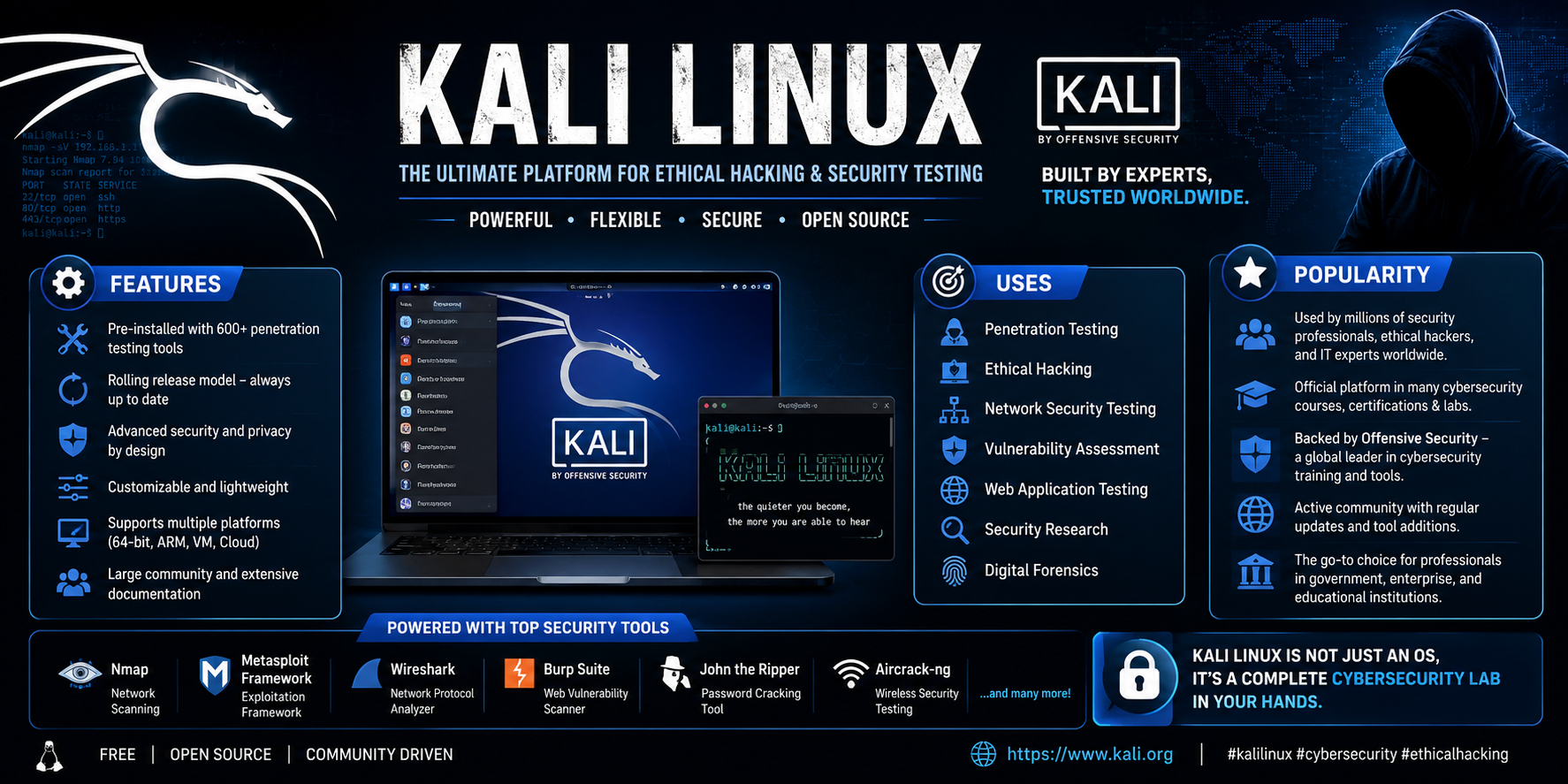

Kali Linux is a free, open-source, Debian-based Linux distribution specially designed for cybersecurity professionals, ethical hackers, penetration testers, and digital forensic experts. It comes pre-installed with hundreds of security tools for testing, auditing, and securing computer systems.
Table of Contents
History of Kali Linux
- Released: March 13, 2013
- Developer: Offensive Security
- Based on: Debian Linux
- Previous Version: BackTrack Linux
Kali Linux replaced BackTrack with a more stable, secure, and regularly updated operating system.
System Requirements
Minimum
- 2 GB RAM
- 20 GB Storage
- Dual-Core Processor
- USB/DVD for installation
Recommended
- 4–8 GB RAM
- 50 GB SSD
- Quad-Core Processor
- Internet Connection
Installation Steps
- Download the Kali Linux ISO.
- Create a bootable USB using Rufus or Balena Etcher. (Download Rufus)
- Boot from the USB drive. Video:- (Step by Step Guide)
- Choose Graphical Install.
- Select language and keyboard.
- Create a user account.
- Partition the disk.
- Install the GRUB bootloader.
- Restart the computer.
- Log in and update the system.
Popular Kali Linux Tools
| Tool | Purpose |
|---|---|
| Network scanning | |
| Wireshark | Network packet analysis |
| Metasploit | Penetration testing |
| Burp Suite | Web application testing |
| Aircrack-ng | Wi-Fi security auditing |
| John the Ripper | Password auditing |
| Hydra | Password testing |
| SQLmap | SQL Injection testing |
| Nikto | Web server vulnerability scanner |
| Hashcat | Password recovery |
Basic Commands
pwd          # Show current directory
ls           # List files
cd           # Change directory
mkdir        # Create folder
cp           # Copy files
mv           # Move files
rm           # Delete files
sudo         # Run as administrator
apt update   # Update package list
apt upgrade  # Upgrade installed packages
Advantages
- Free to use
- Large cybersecurity toolkit
- Frequent updates
- Strong community support
- Suitable for penetration testing
- Supports multiple platforms
- Excellent documentation
Disadvantages
- Not intended as a general-purpose operating system
- Requires Linux knowledge
- Some tools have a learning curve
- Improper use can lead to legal issues
Common Uses
- Ethical Hacking
- Penetration Testing
- Network Security
- Vulnerability Assessment
- Digital Forensics
- Malware Analysis
- Wireless Security Testing
- Security Research
- Incident Response
- Cybersecurity Training
Who Should Use Kali Linux?
- Cybersecurity Professionals
- Ethical Hackers
- Penetration Testers
- Security Researchers
- Digital Forensics Experts
- Students learning cybersecurity
- IT Security Administrators
Is Kali Linux Legal?
Yes. Kali Linux itself is completely legal to download and use. However, using its tools to access or test systems without explicit permission is illegal in many jurisdictions. Always perform security testing only on systems you own or are authorized to assess.
Latest Versions
Kali Linux follows a rolling release model, meaning it receives continuous updates instead of major version upgrades every few years.
Kali Linux FAQ (SEO-Friendly)
1. What is Kali Linux?
Kali Linux is a Debian-based Linux distribution developed for cybersecurity professionals. It includes hundreds of tools for penetration testing, ethical hacking, digital forensics, and security auditing.
2. Is Kali Linux free?
Yes. Kali Linux is completely free and open source. Anyone can download, use, and modify it under its open-source license.
3. Who developed Kali Linux?
Kali Linux is developed and maintained by Offensive Security (OffSec).
4. What is Kali Linux used for?
Kali Linux is primarily used for:
- Penetration testing
- Ethical hacking
- Vulnerability assessment
- Digital forensics
- Wireless security testing
- Network security auditing
- Web application security testing
5. Can beginners use Kali Linux?
Yes, but beginners should first learn basic Linux commands and networking concepts. Kali Linux is designed for security professionals, but many beginners use it for learning cybersecurity.
6. Is Kali Linux legal?
Yes. Kali Linux is completely legal. However, using its tools to attack systems without permission is illegal. Always perform security testing only on systems you own or have explicit authorization to test.
7. Can Kali Linux replace Windows?
Yes, Kali Linux can be installed as a primary operating system. However, it is optimized for security testing rather than everyday personal or office use.
8. Can I run Kali Linux without installing it?
Yes. Kali Linux offers a Live Boot mode that allows you to use it directly from a USB drive without installing it on your computer.
9. What are the minimum system requirements for Kali Linux?
Typical minimum requirements include:
- 2 GB RAM (4 GB recommended)
- Dual-core 64-bit processor
- 20 GB storage
- Bootable USB drive for installation
10. Does Kali Linux support virtual machines?
Yes. Kali Linux works well with VMware, VirtualBox, Hyper-V, and other virtualization platforms.
11. What programming languages are useful for Kali Linux?
Useful languages include:
- Python
- Bash
- C/C++
- JavaScript
- PowerShell
- Go
12. Is Kali Linux safe to use?
Yes, when downloaded from the official website and used responsibly. Always keep your system updated and use security tools ethically.
13. Can I install Kali Linux alongside Windows?
Yes. You can create a dual-boot system that lets you choose between Windows and Kali Linux when starting your computer.
14. What are the most popular tools included in Kali Linux?
Some popular tools include:
- Nmap
- Metasploit Framework
- Wireshark
- Burp Suite Community Edition
- Aircrack-ng
- John the Ripper
- Hydra
- SQLMap
- Gobuster
- Nikto
15. Is Kali Linux good for learning cybersecurity?
Yes. Kali Linux is one of the best platforms for learning ethical hacking, penetration testing, and cybersecurity because it comes preloaded with professional security tools.
Conclusion
Kali Linux is one of the world’s most powerful Linux distributions for cybersecurity and penetration testing. With hundreds of built-in security tools, regular updates, and strong community support, it is an excellent platform for learning ethical hacking and performing professional security assessments. Beginners should first learn basic Linux commands before exploring Kali’s advanced security tools.